How to Open Interactive Broker Account: A Beginners Guide
 Muhammad Faraz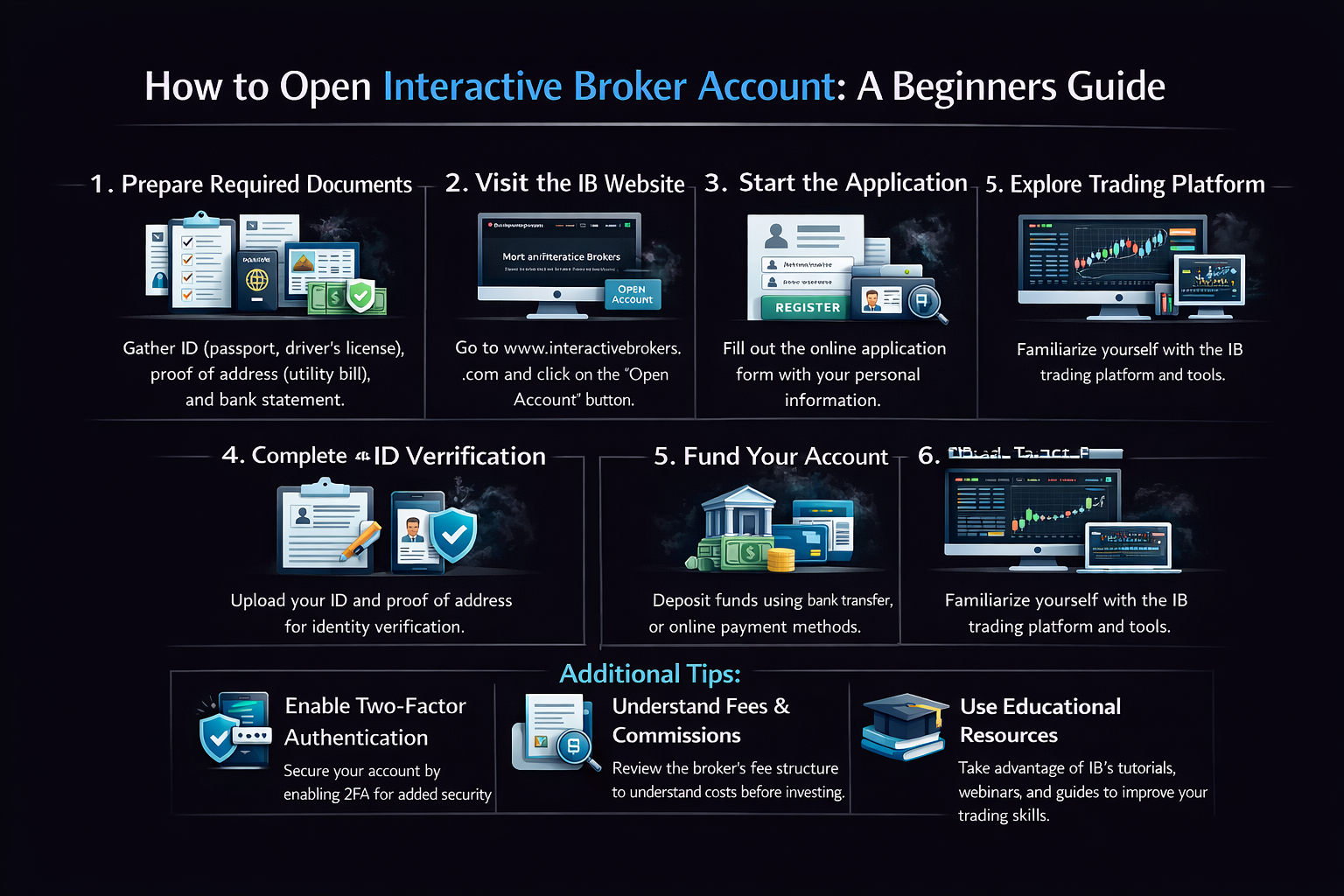
How to Open Interactive Broker Account: A Beginners Guide
Do you want to access global markets, benefit from ultra-low margin rates, and use a platform built for serious investors? Opening an account with Interactive Brokers (IBKR) is your gateway. While the process is straightforward, this step-by-step guide will walk you through every detail from choosing the right account type to placing your first trade, helping you avoid common pitfalls and start your journey with confidence.
For investors in the US, UK, Canada, Australia, and across Europe and Asia, IBKR offers a powerful platform to trade stocks, options, futures, and more in over 200 global markets from a single, integrated account. Understanding how to navigate its setup is the first step to unlocking its full potential.
Summary Table
| Aspect | Detail |
|---|---|
| Goal | To successfully open, fund, and begin trading with an Interactive Brokers (IBKR) account. |
| Skill Level | Beginner to Intermediate |
| Time Required | ~30-60 minutes for application; 1-3 business days for approval; 1-3 days for funds to settle. |
| Tools Needed | Government-issued ID, proof of residence, employment/financial details, funding source (bank account). |
| Key Takeaway | Carefully selecting your account type and entity during setup is critical, as changing it later can be difficult. Accurate personal and financial information ensures a smooth approval process. |
| Related Concepts |
Why Opening an IBKR Account is a Strategic Move
Choosing a brokerage is one of the most important decisions an investor can make. While many platforms cater to casual users, Interactive Brokers is engineered for those who are serious about building and managing wealth. The problem it solves is fragmentation: instead of having accounts with different brokers for stocks, another for futures, and a third for international access, IBKR consolidates global market access into a single, powerful hub.
The outcome is a level of control, cost-efficiency, and sophistication that is difficult to match. From my own experience, once I moved my primary trading to IBKR, the savings on commissions and margin interest alone paid for the learning curve within months. You gain the ability to execute complex multi-leg options strategies, hedge with futures, or simply buy fractional shares of international blue-chips—all with transparent, tiered pricing.
Key Takeaways
What You’ll Need Before You Start
Preparation is crucial for a smooth application. Here’s your checklist:
Knowledge Prerequisites: A basic understanding of different account types (taxable vs. retirement) and investment products (stocks, ETFs) is helpful. You should also have a clear idea of your investment goals and risk tolerance.
Document Requirements:
- Primary Government-Issued Photo ID: Passport, National ID, or Driver’s License.
- Proof of Residence (if different from your ID): A utility bill, bank statement, or official government letter dated within the last six months.
- Employment & Financial Details: Your occupation, employer name, estimated annual income, and net worth. This is standard for brokerages to comply with “Know Your Customer” (KYC) regulations.
- Social Security Number (SSN) or Tax ID: Required for US persons. International applicants will need their country’s equivalent.
Tools & Platforms: A computer or smartphone with internet access to complete the online application. Have your bank account and routing numbers handy for the funding step.
To easily manage the diverse investments you’ll access through IBKR, you’ll need a solid foundational strategy. Many successful investors start by building a core portfolio of low-cost ETFs. For a breakdown of the best ETFs for long-term growth, which you can then buy commission-free on IBKR, check out authoritative sources like Morningstar’s ETF research or Vanguard’s educational platform.
How to Open an Account on Interactive Brokers (IBKR)
Here is the stepwise procedure to Open an Account on Interactive Brokers (IBKR):
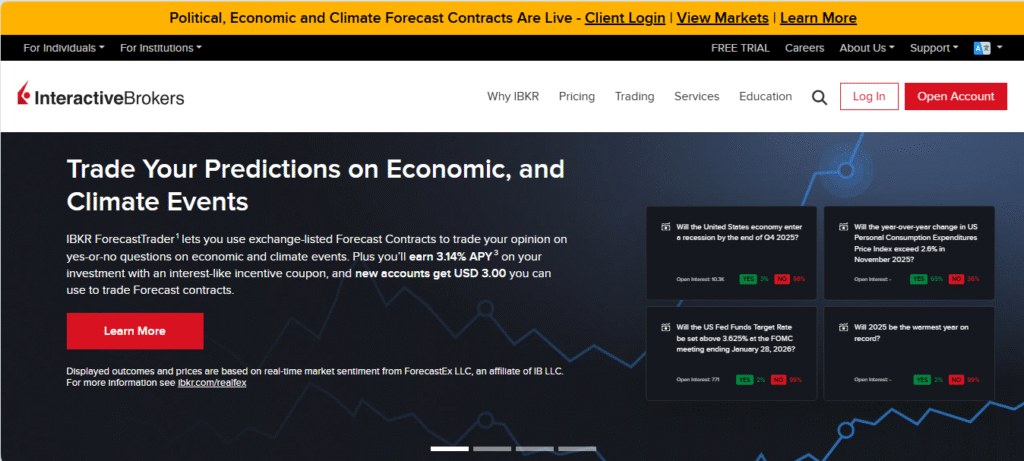
Interactive Brokers
Step 1: Start Your Application and Choose Your Account Type
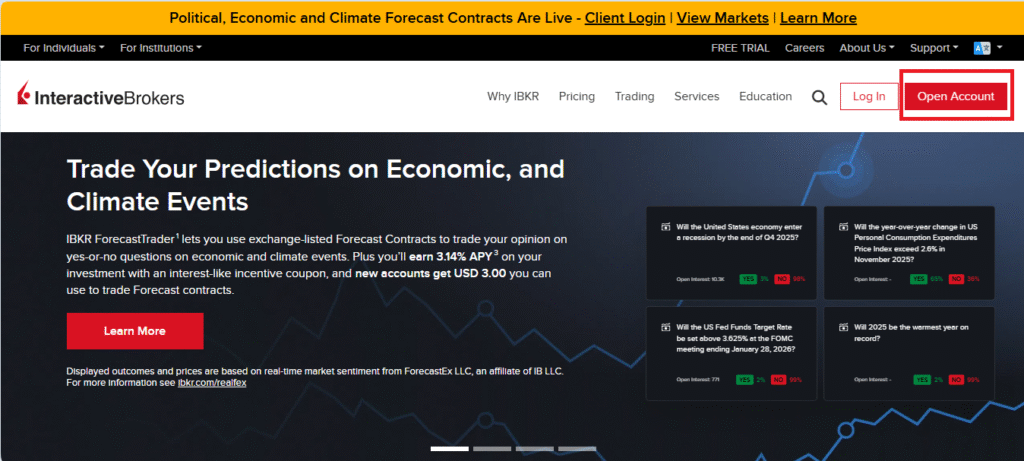
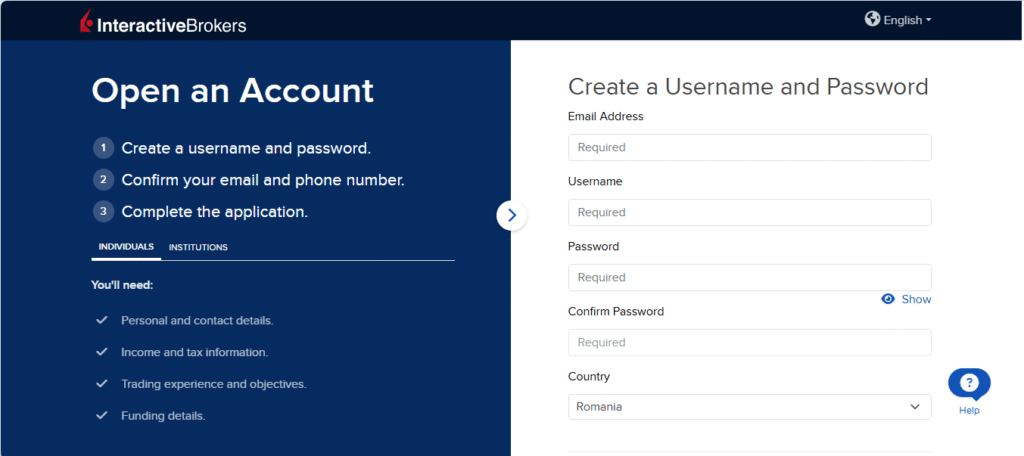
Navigate to the Interactive Brokers website and click “Open Account.” You’ll be asked to select your country of legal residence. This is crucial as it determines the specific regulatory entity (like IBKR LLC in the US or IBKR Central Europe) that will hold your account.
Next, you’ll choose your account type. This is one of the most permanent decisions.
- Individual or Joint Account: For personal, taxable investing.
- IRA (Traditional, Roth, Rollover): For US retirement savings.
- Trust, Corporate, or LLC Accounts: For more advanced entity structures.
Pro Tip: I recommend starting with a simple Individual account if you’re new. You can always open additional, separate accounts later for different goals (e.g., one individual account for active trading and one IRA for long-term retirement holds).
Step 2: Complete Your Personal, Financial, and Trading Profile
This section is detailed. You’ll input your personal information, employment details, and financial profile (annual income, net worth, liquid net worth). Be thorough and accurate.
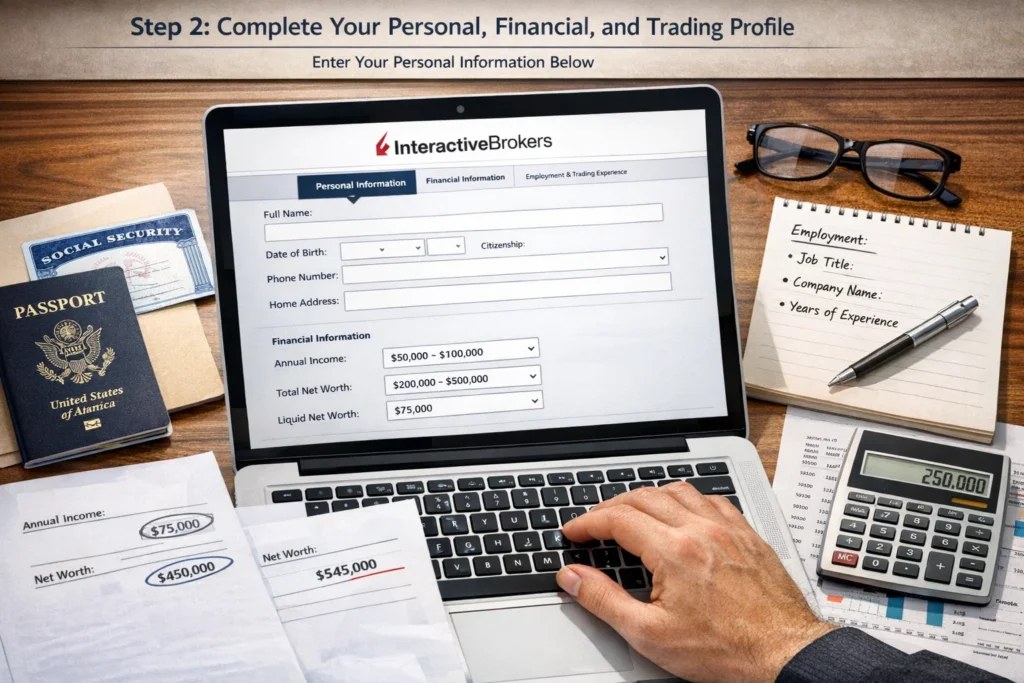
The most important part here is the Trading Experience & Objectives section. You’ll be asked about:
- Your investing experience (years).
- Your knowledge of different products (stocks, bonds, options, etc.).
- Your annual trading volume.
- Your investment objectives (Growth, Income, Speculation, Hedging).
Common Mistake to Avoid: Do not overstate your experience or net worth to try and “qualify” for more features. This profile helps IBKR assess appropriate risk and set your initial trading permissions. Being honest leads to a better-tailored experience.
Step 3: Apply for Trading Permissions and Review
Based on your financial profile and stated experience, IBKR will suggest default trading permissions (e.g., Stocks, ETFs). This is where you must actively request access to other markets if you want them. If you plan to trade options, futures, forex, or stocks on foreign exchanges, you need to select them here.
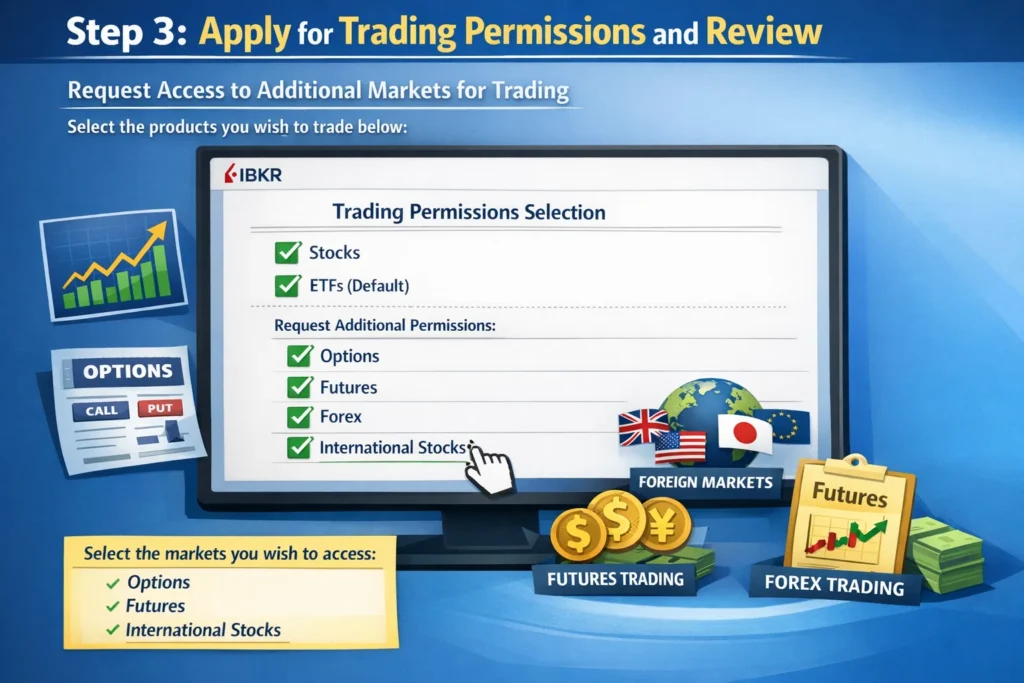
You’ll then review a summary of all your information, agree to the account agreements, and digitally sign the application. Submit it.
Step 4: Verify Your Identity, Fund, and Place Your First Trade
Verification (1-3 Business Days): IBKR will review your application. You may receive an email asking you to upload clear copies of your ID and proof of residence directly to your secure application message center. Promptly uploading clear documents is key to avoiding delays.
Funding Your Account: Once approved, log into the Client Portal. Navigate to “Transfer & Pay” > “Deposit Funds.” You can link your bank via wire transfer or ACH (in supported countries). I always use ACH for its ease and lack of fees. Initial deposits vary, but there is no minimum for a cash account (though $2,000 is a practical start for a margin account).
Placing Your First Trade: Go to the “Trade” tab. Search for a symbol (e.g., “SPY”). Select an order type—I strongly advise beginners to use “LMT” (Limit Order) to specify the maximum price you’ll pay. Enter quantity, set your limit price, and click “Transmit Order.”
Understanding IBKR’s Fee Structure: How to Minimize Your Costs
Interactive Brokers offers transparent but complex pricing. Here’s how to navigate it effectively.
IBKR’s low-cost reputation comes with a nuanced fee structure that can significantly impact your returns. Choosing the right commission plan and understanding ancillary fees is crucial for cost optimization.
Tiered vs. Fixed Commission: Which Should You Choose?
Tiered Pricing
How it works: Commission is based on your monthly trading volume. The more you trade, the lower your per-trade cost.
- ✓ Lower costs for high-volume traders
- ✓ Volume discounts kick in automatically
- ✓ Exchange fees included in commission
Example: 1,000 shares of AAPL at $150
Commission: $0.35 per 100 shares + $0.30 exchange fee = $0.65 per 100 shares
Total: $6.50
Fixed Pricing
How it works: Flat rate per share or per trade, regardless of volume.
- ✓ Predictable costs for budgeting
- ✓ Simpler to calculate
- ✓ Better for small, infrequent trades
Example: 1,000 shares of AAPL at $150
Commission: $0.005 per share (minimum $1, maximum 1% of trade value)
Total: $5.00
Hidden Fees to Watch For (And How to Avoid Them)
Action Step: Audit Your Account Settings
Navigate to Account Management → Settings → Account Settings and check:
- Your current commission plan (Tiered vs. Fixed)
- Active market data subscriptions
- Your monthly commission totals (to avoid inactivity fees)
- Wire/ACH transfer preferences
Your First-Week Checklist: 7 Essential Tasks After Opening Your IBKR Account
Don’t miss these critical setup steps that most beginners overlook
Opening your account is just the beginning. Complete these 7 tasks within your first week to secure your account, optimize settings, and build a solid foundation for successful trading.
Enable Two-Factor Authentication (2FA)
Priority: High – Security
Why: Protects your account from unauthorized access. IBKR supports both SMS and authenticator apps.
Set Up Your Market Data Subscriptions
Priority: Medium – Functionality
Why: Real-time data is essential for trading, but you might qualify for free data based on your trading activity.
Configure Your Trading Permissions
Priority: High – Access
Why: You won’t be able to trade options, futures, or international stocks without explicit permissions.
Link a Backup Bank Account
Priority: Medium – Convenience
Why: Having multiple funding sources provides flexibility and acts as a backup if your primary bank has issues.
Customize Your Trader Workstation (TWS) Layout
Priority: Low – Optimization
Why: A well-organized workspace improves efficiency and reduces trading errors.
Run a Paper Trading Simulation
Priority: Medium – Practice
Why: Test the platform’s features and your strategies without risking real money.
Set Up Tax Reporting Preferences
Priority: Low – Future Planning
Why: IBKR provides excellent tax documents, but proper setup ensures accurate reporting.
Your Progress
How to Navigate IBKR’s Platform Ecosystem
Now that your account is live, understanding your toolkit is essential. IBKR offers multiple platforms, each serving a different purpose.
- Client Portal (Web): Perfect for account management, basic trading, reports, and funding. This is my go-to for checking balances, downloading tax documents, and making simple ETF purchases.
- Mobile App: Highly functional for trading on the go, with advanced charting and order types. It’s more powerful than most brokers’ dedicated apps.
- Trader Workstation (TWS – Desktop): The professional-grade platform. It has a steep learning curve but offers unparalleled depth: advanced option chains, algorithmic trading, risk navigators, and fully customizable workspaces.
Pro Tip: Don’t be intimidated by TWS. Start with the “Mosaic” layout, which is more visual. Use the paper trading feature (available in your account settings) to practice with virtual currency before risking real money on the complex interface.
Common Pitfalls and How to Avoid Them
Pitfall 1: Selecting the Wrong Account Entity. Choosing an “Individual” account when you meant to open an “IRA” is a critical error. You cannot change the account type later; you must open a new account and transfer assets, which can be a taxable event.
Solution: Double-check your selection in Step 1. If in doubt, open the account for long-term retirement savings as an IRA.
Pitfall 2: Underestimating Trading Permissions. Many users get approved and are then confused why they can’t sell a put option or buy a UK stock.
Solution: Carefully review the permissions page during application. You can always apply for additional permissions later under “Account Management” > “Trading Permissions,” but it may require updating your financial profile.
Pitfall 3: Ignoring Currency & Settlement. If you buy a stock on the London Stock Exchange in British Pounds (GBP) with a USD-based account, you are automatically using margin in the GBP currency, which may incur interest.
Solution: Before trading internationally, convert your USD to the local currency via the forex tool in the platform, or ensure you understand the margin implications of a “FX Conv” trade.
- Global Market Access Trade stocks, options, futures, forex, and bonds in over 200 markets and 33 countries from one unified platform. It’s a truly borderless account.
- Industry-Low Costs Ultra-competitive commissions (often $0 for US stocks/ETFs) and the lowest margin rates in the industry (benchmarked against the Fed Funds Rate), which can save active traders thousands per year.
- Powerful Technology The Trader Workstation (TWS) is a professional-grade suite with advanced order types, algorithmic trading, and deep analytical tools that retail-focused brokers simply don’t offer.
- Sophisticated Risk Management Tools like the Risk Navigator provide a real-time, comprehensive view of your portfolio’s Greeks, stress tests, and margin implications across all asset classes.
- Strong Regulatory Oversight IBKR is a publicly traded company and a member of major global exchanges, with strong capital reserves and customer asset protection under SIPC (up to $500,000) and other international schemes.
- Steep Learning Curve The platform’s sheer power and complexity can be overwhelming for complete beginners. It is not as instantly intuitive as consumer-focused apps like Robinhood.
- Customer Service Accessibility While support quality is high, phone support can involve hold times, and the primary support model is ticket-based through the message center, which may frustrate users accustomed to instant live chat.
- Complex Fee Structure While costs are low, the “tiered” vs. “fixed” commission schedule, data package fees, and inactivity fees (for small accounts) require active understanding to optimize.
- Minimums for Advanced Features Access to Portfolio Margin, reduced day-trading margin calls, and some professional-level data requires significant account equity (e.g., $100,000+).
- Focus on Self-Directed Investors The platform is built for those who make their own decisions. There are no robo-advisor services or personal advisor hand-holding. You are in full control.
Taking It to the Next Level: Advanced IBKR Features
Once you’re comfortable with the basics, IBKR truly shines with its advanced toolset.
- Algorithmic (Algo) Trading: In TWS, you can route orders using sophisticated algorithms like “VWAP” or “TWAP” to minimize market impact on large orders—tools typically reserved for institutional desks.
- Options Strategy Lab: This visual tool lets you build complex multi-leg strategies (like iron condors or butterflies), analyze their risk/reward profile (P&L graph), and submit the entire combo as a single, risk-defined trade.
- Risk-Based Margin (Portfolio Margin): For qualified accounts over $100,000, this calculates margin based on the overall net risk of your entire portfolio, rather than rigid, strategy-based rules. It can be far more capital-efficient for diversified, hedged portfolios.
- API Access: For programmers, IBKR offers a robust API to build custom trading applications, connect to external analytics, or automate your entire strategy.
Troubleshooting Common IBKR Issues: Quick Fixes for New Users
Solve the most frequent problems without waiting for support
Even the most reliable platforms occasionally have issues. Here are solutions to common problems I’ve encountered and fixed during my years using IBKR.
Login Problems & Two-Factor Authentication Issues
Symptoms:
- “Invalid username/password” despite correct credentials
- 2FA code not working or not receiving SMS
- Account locked after multiple failed attempts
Step-by-Step Solution:
Order Rejections & Trading Permissions Errors
Symptoms:
- “Order rejected: No trading permission”
- “Insufficient buying power” despite available cash
- “Order exceeds available liquidity” on limit orders
Step-by-Step Solution:
Trader Workstation (TWS) Technical Problems
Symptoms:
- TWS won’t launch or crashes on startup
- Charts not loading or displaying old data
- “Java not found” or Java-related errors
- Slow performance or lagging
Step-by-Step Solution:
Funding, Withdrawal & Account Transfer Issues
Symptoms:
- Bank transfer rejected or delayed
- “Withdrawal request exceeds available funds”
- Partial ACATS transfer failures
- Currency conversion problems
Step-by-Step Solution:
When to Contact IBKR Support
If you’ve tried all troubleshooting steps and still have issues, it’s time to contact support. Here’s the most effective way:
Phone Support
Best for: Urgent trading issues, account security concerns
Tip: Call early in the day for shorter wait times. Have your account number ready.
Message Center
Best for: Non-urgent issues, documentation needs, complex questions
Tip: Include screenshots and specific error messages. You’ll get a written record of the resolution.
Live Chat (if available)
Best for: Quick clarification questions, simple issues
Tip: Available during market hours. Less formal but still effective for straightforward problems.
Interactive Brokers (IBKR) vs Consumer Apps vs Traditional Full Service Brokers
| Feature | Interactive Brokers (IBKR) | Consumer Apps (e.g., Robinhood, Webull) | Traditional Full-Service Brokers (e.g., Fidelity, Schwab) |
|---|---|---|---|
| Primary User | Active & International Traders, Sophisticated Investors | Beginner Investors, Casual/Mobile-First Traders | Long-Term Buy & Hold Investors, Retirement Savers |
| Cost Structure | Ultra-low commissions, lowest margin rates, tiered pricing for volume. | Zero commission on core products, but higher margin rates and payment for order flow. | Zero commission on stocks/ETFs, competitive but not industry-low margin rates. |
| Platform & Tools | Professional-grade (TWS) with extreme depth and customization. Steep learning curve. | Simplified, intuitive mobile apps. Easy to use but limited advanced functionality. | Robust web and desktop platforms. Strong research and educational tools, good for planning. |
| Global Market Access | Best-in-class. Direct access to 200+ markets in 33 countries. | Limited. Typically only US-listed stocks and options. | Good. Access to many foreign markets, but often through ADRs or more complex pathways. |
| Best For | Cost-sensitive active trading, complex strategies, direct international exposure. | Learning the basics, simple stock/options trading with a user-friendly interface. | Building a long-term, diversified portfolio with integrated banking and advice services. |
Conclusion
You now possess one of the most powerful investing platforms available to private investors. By following this guide, you’ve successfully navigated account setup, understood the core platforms, and learned to avoid initial pitfalls. Remember that mastery comes with use, start simple, use the paper trading account to experiment, and gradually explore more advanced tools as your confidence grows.
Frequently Asked Questions
Recommended Resources
- IBKR Traders Academy: Free, comprehensive video courses covering basics to advanced strategies. The Introduction to TWS course is essential.
- IBKR Webinars: Live and recorded sessions on platform features, market analysis, and new products. Check their events calendar.
- IBKR Knowledge Base: Searchable library of help articles and FAQs for troubleshooting specific platform issues.
About the Author