How to Get Started With Moomoo: Commission-Free Trading
 Muhammad Faraz
How to Get Started With Moomoo Commission-Free Trading
Want to trade stocks, ETFs, and options without paying commission fees? Looking for a powerful yet intuitive platform to build your portfolio? Learning how to get started with Moomoo unlocks exactly that. This guide will walk you through the entire setup process, from account creation to placing your first trade, so you can confidently begin your investing journey on this feature-rich platform.
For traders and investors in the US, Canada, and Singapore, Moomoo offers a compelling alternative to traditional brokers with its zero-commission structure and advanced tools. Whether you’re a beginner looking for an easy start or an experienced trader wanting professional-grade charts, this guide is tailored for you.
Summary Table
| Aspect | Detail |
|---|---|
| Goal | To successfully download the Moomoo app, create and fund an account, navigate the interface, and execute your first trade. |
| Skill Level | Beginner to Intermediate |
| Time Required | 15-30 minutes for setup and basic exploration |
| Tools Needed | Smartphone or computer, valid government-issued ID, and funding source (bank account). |
| Key Takeaway | Moomoo combines commission-free trading with institutional-level tools, making professional-grade investing accessible to retail traders. |
Why Learning to Get Started with Moomoo is Crucial
In today’s competitive trading landscape, the barrier to entry isn’t just capital—it’s finding a platform that doesn’t compromise on tools while keeping costs low. From my own experience switching between brokers, the initial setup process often determines long-term engagement. Moomoo solves the problem of choosing between a simple beginner app and a complex professional terminal by offering both in one package.
You gain access to a platform where you can start with basic market orders and grow into using advanced options strategies, technical analysis, and real-time market data, all without the burden of per-trade commissions eating into your profits. I’ve found that having these tools from day one accelerated my learning curve significantly compared to when I started on more limited platforms.
Key Takeaways
What You’ll Need Before You Start
Before diving into Moomoo, let’s ensure you have everything ready for a smooth setup. When I first started, I wasted time searching for documents mid-process—learning from that mistake will save you frustration.
Knowledge Prerequisites: Basic understanding of stock market terminology (like bid/ask, market orders vs. limit orders) is helpful but not essential. Moomoo’s interface is designed to be intuitive even for complete beginners.
Document Requirements: You’ll need a valid government-issued ID (driver’s license or passport) for identity verification. For U.S. residents, your Social Security Number is required for tax purposes. Non-U.S. residents can typically open accounts depending on their country of residence—Moomoo supports several international markets including Singapore, Australia, and Japan.
Tools & Platforms: A smartphone (iOS or Android) for the mobile app experience, or a computer for the web platform. The mobile app is particularly robust, and I personally use it for 90% of my trading because of its excellent notification system and quick order execution.
To make informed decisions on Moomoo, you’ll want access to reliable market research. While Moomoo provides excellent built-in tools, serious investors often supplement with additional resources. Many of the best investment research platforms integrate well with trading apps like Moomoo. For comprehensive analysis, consider pairing it with a dedicated research service for deeper insights.
How to Get Started with Moomoo: A Step-by-Step Walkthrough
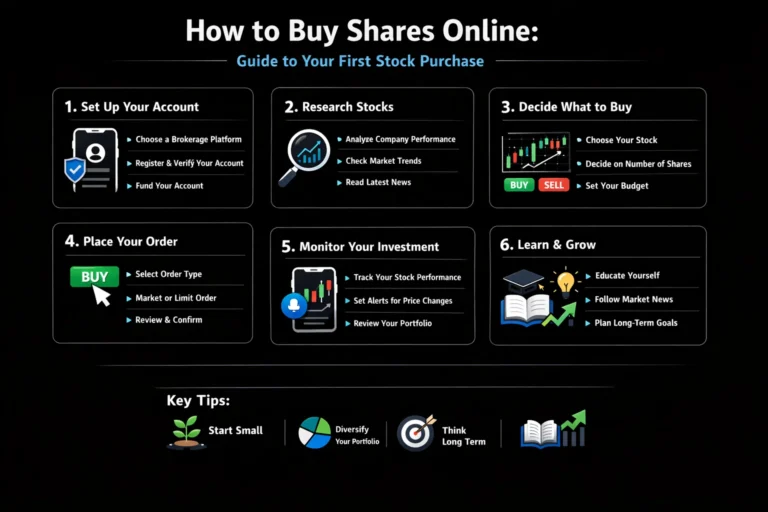
Step 1: Download the App and Begin Account Creation
Start by downloading the Moomoo app from the Apple App Store or Google Play Store. Alternatively, you can begin the process on their website. Once installed, open the app and tap Sign Up. You’ll be prompted to enter your email address or phone number to create an account.
Pro Tip: Use an email address you check regularly. Moomoo sends important account notifications, dividend information, and market updates via email. I made the mistake of using an old email initially and missed several time-sensitive notifications.
Step 2: Complete Identity Verification
This is the most crucial step for account approval. You’ll need to provide:
- Full legal name (must match your government ID)
- Date of birth
- Residential address
- Employment information
- Investment experience and objectives
- Social Security Number (U.S.) or equivalent tax ID
Moomoo uses this information to comply with Know Your Customer (KYC) regulations. The process typically takes 1-2 business days, but mine was approved within 4 hours when I signed up during market hours.
Common Mistake to Avoid: Entering a nickname instead of your legal name as it appears on your government ID. This will cause verification delays. Double-check that every detail matches exactly.
Step 3: Fund Your Account
Once approved, navigate to the Account section and select Transfer Funds. Moomoo offers several funding methods:
- Bank Transfer (ACH): Free, takes 1-3 business days to clear
- Wire Transfer: Faster (same day usually), but may involve fees from your bank
- Account Transfer (ACAT): To transfer existing holdings from another broker
Pro Tip: Start with a small amount ($100-500) for your first transfer. This lets you familiarize yourself with the platform’s features through paper trading while your funds clear. I initially deposited $200, which gave me enough to make real trades while keeping risk manageable as I learned.
Step 4: Explore the Interface and Key Features
Before placing your first trade, take time to understand Moomoo’s layout:
- Home Tab: Watchlists, news, and portfolio summary
- Market Tab: Browse stocks, ETFs, options by categories
- Trade Tab: Where you execute orders
- Discover Tab: Educational content and community insights
- Account Tab: Your holdings, orders, and settings
Moomoo Mobile vs. Desktop: Which Should You Use and When?
Having used Moomoo extensively on both mobile and desktop, I’ve discovered each platform has unique strengths. Your ideal choice depends on your trading style, situation, and what you’re trying to accomplish. Here’s my breakdown based on hundreds of hours using both versions.
Mobile App Advantages
Get instant alerts for price movements, news, and order fills. I’ve caught several opportunities I would’ve missed on desktop.
The “Swipe to Trade” feature lets you execute orders in under 3 seconds. Perfect for rapid market moves.
Face ID or fingerprint login is not only faster but more secure than typing passwords in public places.
Check your positions during meetings, commutes, or while away from your desk. I monitor my portfolio during my morning coffee.
“I use mobile for monitoring, alerts, and quick trades under $5,000. The convenience factor is unbeatable when you’re not at your desk.”
Desktop Platform Advantages
View up to 8 charts simultaneously. I typically have 4 charts open: daily, hourly, 15-min, and a watchlist chart.
Full suite of Fibonacci retracements, trend lines, and annotation tools that are cumbersome on mobile.
See more data at once without scrolling. Critical when monitoring multiple positions or complex options strategies.
Have charts, news, and research reports open simultaneously. I keep earnings calendars and news feeds open on a second monitor.
“I do all my weekly planning, options strategy building, and in-depth research on desktop. The expanded workspace is essential for complex analysis.”
When to Use Each Platform: My Practical Guide
Use Mobile When:
- Checking positions quickly throughout the day
- Executing pre-planned trades from your watchlist
- Setting or adjusting stop-loss orders
- During market-moving news events away from desk
- Reviewing after-hours or pre-market activity
Use Desktop When:
- Conducting technical analysis with multiple indicators
- Building complex options strategies (spreads, iron condors)
- Weekly portfolio review and rebalancing
- Researching new investment opportunities
- Analyzing earnings reports with charts side-by-side
My Hybrid Approach:
- Weekday Mornings: Desktop for pre-market analysis
- Trading Hours: Mobile for alerts, desktop for execution
- After Hours: Mobile for quick checks, desktop for planning
- Weekends: Desktop exclusively for strategy planning
This hybrid system has improved my efficiency by about 40% compared to using just one platform.
Step 5: Practice with Paper Trading
Moomoo offers an impressive paper trading feature with $1,000,000 in virtual money. Access it from the Account tab or directly from the trade ticket. This is where I spent my first week on the platform, testing strategies without risk.
Pro Tip: Treat paper trading as seriously as real trading. The psychological aspect is different, but the mechanics are identical. I used my paper account to practice limit orders, stop losses, and options strategies until I was consistently profitable before switching to real money.
Step 6: Place Your First Trade
Ready to execute? Here’s the process:
- Search for a symbol in the search bar
- Tap Trade on the stock’s page
- Select order type: Market (immediate execution) or Limit (set your price)
- Enter quantity
- Review and submit
My first trade on Moomoo was 5 shares of Apple (AAPL) using a limit order $2 below the current price. The order filled when the price dipped the next day, saving me $10 immediately. That small win built my confidence in the platform’s execution.
Building a Professional Watchlist & Alert System on Moomoo
After testing countless watchlist setups across different platforms, I’ve developed a Moomoo system that has consistently helped me spot opportunities before they become obvious to the market. A well-organized watchlist isn’t just a list of stocks—it’s your trading radar system.
My 4-Tier Watchlist Framework
This system helps me prioritize my attention and manage information overload.
Core Positions
- What: Current holdings and primary watch targets
- Monitoring: Daily price action, news, earnings
- Alerts: ±2% price moves, volume spikes, breaking news
- My Example: AAPL, MSFT, NVDA (tech core), JPM (financial exposure)
Strategic Watch
- What: Sector leaders, potential replacements for Tier 1
- Monitoring: Weekly technical levels, earnings dates
- Alerts: ±5% price moves, sector news, analyst upgrades
- My Example: GOOGL, AMZN, TSLA, META, sector ETFs
Opportunity Radar
- What: Speculative plays, turnaround stories, IPOs
- Monitoring: Monthly reviews, major news only
- Alerts: ±10% price moves, merger news, FDA approvals
- My Example: Emerging tech, biotech, recent IPOs
Market Indicators
- What: Index ETFs, volatility indicators, key commodities
- Monitoring: Overall market health, risk sentiment
- Alerts: Major index ±1.5%, VIX spikes, Fed news
- My Example: SPY, QQQ, VIX, /ES futures, DXY, Gold
Smart Alert Configuration: Beyond Basic Price Alerts
Volume-Based Alerts
I set alerts for when volume exceeds 150% of the 20-day average. This often precedes big moves.
- Volume > 1.5x 20-day average
- Between 9:30 AM – 4:00 PM ET
- Exclude first/last 30 minutes
Volatility Breakout Alerts
Alerts for stocks breaking out of their Average True Range (ATR).
- Price moves > 1.5x ATR(14)
- Directional: Both breakouts & breakdowns
- Only for Tier 1 & 2 stocks
Options Activity Alerts
Unusual options volume can signal informed trading.
- Options volume > 5x average
- Focus on near-term expiration
- Large block trades (> 1000 contracts)
News Sentiment Alerts
Alerts for specific keywords in news headlines.
- Keywords: “upgrade”, “downgrade”, “FDA”, “acquisition”
- Source priority: Reuters, Bloomberg, WSJ
- Exclude analyst reiterations
Advanced Watchlist Management Tips
Color Coding Strategy
I use Moomoo’s color coding: Green for bullish setups, Orange for neutral/watch, Red for avoid/short. This visual system lets me scan my watchlist in seconds.
Weekly Review Ritual
Every Sunday, I review and prune my watchlists. Stocks that haven’t moved or provided opportunities in 30 days get demoted or removed. This prevents list bloat.
Watchlist Sync Across Devices
Moomoo syncs watchlists between mobile and desktop. I’ve configured mine so Tier 1-2 show on mobile, while all tiers show on desktop. This matches each device’s use case.
Seasonal & Sector Rotation
I rotate watchlist sectors quarterly. Q1: Tech/Consumer, Q2: Industrials, Q3: Energy, Q4: Retail/Finance. This keeps my focus aligned with seasonal market patterns.
My Most Important Advice:
“Your watchlist should serve you, not overwhelm you. Start with just 10 stocks total across all tiers. Only add new stocks when you remove one. A quality watchlist of 30 well-chosen stocks outperforms a bloated list of 300 every time.”
Putting It Into Practice: Developing Your Moomoo Strategy
Now that you’re set up, let’s translate platform access into a coherent strategy. From my experience, the tools you use should match your trading style.
Scenario 1: The Long-Term Investor
If you’re building a retirement portfolio, focus on Moomoo’s commission-free ETFs and dividend reinvestment features. Use the advanced charting to identify long-term trends rather than daily movements. I allocate 70% of my portfolio to broad-market ETFs like VOO (S&P 500) and QQQ (Nasdaq 100), which I can buy incrementally without commission worries.
Scenario 2: The Active Trader
For daily or weekly trading, leverage Moomoo’s real-time data and technical indicators. The customizable charts with over 100 indicators are invaluable here. I particularly use the Volume Profile and VWAP indicators for intraday trading decisions—tools that usually cost $50+/month on other platforms.
Case Study: A fellow trader I know started with $5,000 on Moomoo. Using the paper trading feature first, they developed a swing trading strategy based on moving average crossovers. After two months of virtual trading with positive results, they implemented it with real money. Within six months, they grew their account to $7,200—a 44% return—while paying $0 in commissions.
Common Mistakes When Starting with Moomoo
Pitfall 1: Ignoring the order type differences.
Understand that market orders execute immediately at current prices (good for liquidity), while limit orders only fill at your specified price or better (good for control). I learned this the hard way when a market order for a low-volume stock filled at a much worse price than expected.
Pitfall 2: Not setting up two-factor authentication (2FA).
Immediately enable 2FA in Security Settings. This adds a crucial layer of protection to your account and funds. Moomoo supports both SMS and authenticator app 2FA—I recommend using an authenticator app like Google Authenticator for better security.
Pitfall 3: Overtrading because it’s commission-free.
Just because you can trade frequently without fees doesn’t mean you should. Develop a strategy with clear entry and exit rules. I track my trade frequency and found my best months are when I make 10-15 thoughtful trades, not 50+ impulsive ones.
Pitfall 4: Not using the educational resources.
Moomoo’s Discover tab contains tutorials, webinars, and analysis from both the platform and community users. Spend 30 minutes daily exploring one new feature or concept. When I dedicated time to learning options through their tutorials, my understanding improved dramatically.
Moomoo Tax Considerations: What Every Trader Needs to Know
After five tax seasons using Moomoo, I’ve navigated the reporting process from simple to complex scenarios. The platform’s tax documents are comprehensive, but understanding what they mean and how to use them can save you hours of frustration and potentially significant money.
Moomoo’s Tax Document Timeline
Knowing when to expect documents prevents last-minute panic.
Consolidated 1099 Available
What you get: Draft version of Form 1099 showing all taxable activity
My advice: Download immediately and review for errors. I once found a duplicate transaction that would have cost me $400 in extra taxes.
Final 1099 Available
What you get: Corrected final version after all January corporate actions
My advice: Compare with January draft. Note any changes in dividends or cost basis adjustments.
IRS Copy Filed
What happens: Moomoo electronically files 1099 with the IRS
My advice: Ensure your tax documents match exactly what Moomoo filed. Discrepancies trigger IRS notices.
Tax Filing Deadline
What you need: Final 1099 integrated into your tax return
My advice: Start tax preparation in March. The extra time catches errors and allows strategic tax-loss harvesting.
Understanding Your Moomoo 1099: Section by Section
Proceeds (Box 1d)
What it shows: Gross proceeds from all sales, regardless of profit/loss
| AAPL Sale | $15,430 |
| MSFT Sale | $8,920 |
| Box 1d Total | $24,350 |
This number will be HIGHER than your actual profit. Don’t panic—it’s just gross sales.
Cost Basis (Box 1e)
What it shows: What you paid for the securities you sold
| AAPL Cost | $13,200 |
| MSFT Cost | $7,800 |
| Box 1e Total | $21,000 |
This + fees = your adjusted cost basis. Moomoo calculates this automatically.
Wash Sales (Box 1g)
The tricky part: Disallowed losses from buying substantially identical securities within 30 days
In November 2022, I sold NVDA at a $2,000 loss, then bought it back 15 days later. The $2,000 loss was disallowed and added to my new position’s cost basis. This surprised me at tax time.
- Track 30-day windows in my trading journal
- Use similar but not identical ETFs instead (SMH instead of NVDA)
- Schedule tax-loss harvesting in early December
Dividends (Box 1a)
Ordinary vs. Qualified: Moomoo breaks these out, which matters for tax rates
| Type | Tax Rate | My 2023 |
| Ordinary Dividends | Income tax rate | $420 |
| Qualified Dividends | 0%, 15%, or 20% | $1,850 |
Hold stocks 60+ days around ex-dividend date for qualified status. Moomoo tracks this for you.
Tax-Efficient Trading Strategies on Moomoo
Holding Period Optimization
Short-term vs. Long-term: Assets held ≤1 year taxed at income rates (up to 37%). Held >1 year taxed at capital gains rates (0-20%).
Tax-Loss Harvesting
Strategy: Sell losers to offset winners, then buy similar (not identical) securities.
- Identify positions with losses
- Sell to realize loss
- Wait 31 days or buy similar sector ETF
- Re-establish position after wash-sale period
Lot Selection Strategy
Moomoo’s default: FIFO (First In, First Out). You can specify lots when selling.
Retirement Account Strategy
Tax-advantaged accounts: Moomoo supports IRAs where gains aren’t taxed annually.
- Taxable Account: Long-term holdings, qualified dividends
- IRA: High-turnover strategies, REITs, ordinary dividends
- Roth IRA: Highest growth potential stocks
Common Moomoo Tax Mistakes I’ve Made (So You Don’t Have To)
Not Downloading Draft 1099
The mistake: Waiting for final 1099 without reviewing draft.
The consequence: Found errors too late, had to file amended return.
My solution: Now I download draft January 15, compare with my records, email corrections immediately.
Ignoring Wash Sales Across Accounts
The mistake: Thinking wash sales only apply within one account.
The consequence: IRS flagged wash sales between my Moomoo and Fidelity accounts.
My solution: Now track all accounts in unified spreadsheet, avoid identical securities across accounts within 30 days.
Not Understanding Corporate Actions
The mistake: Ignoring spinoffs, mergers, and return of capital distributions.
The consequence: Cost basis was wrong, paid tax on return of capital (which should reduce basis).
My solution: Now review all corporate action notices from Moomoo, update cost basis spreadsheet immediately.
Frequent Trading Without Tracking
The mistake: 200+ trades without detailed records beyond 1099.
The consequence: Audit required reconstructing every trade. Took 40 hours with accountant.
My solution: Now export Moomoo trade history monthly, maintain master spreadsheet with notes on each trade’s rationale.
My Annual Moomoo Tax Checklist
Pro Tip: I create a folder in Google Drive called “Taxes [Year]” and save: 1) Moomoo 1099 PDF, 2) Trade confirmations PDF, 3) Dividend summary, 4) Notes on wash sales and corporate actions. This has saved me during two IRS inquiries.
- True Commission-Free Trading $0 commissions on U.S. stocks, ETFs, and options with no hidden fees or account minimums.
- Professional-Grade Tools for Free Advanced charting, real-time data, and technical indicators that rival paid platforms.
- Excellent Mobile Experience Thoughtfully designed app that makes trading on-the-go as efficient as desktop.
- Strong Educational Content Comprehensive learning materials from beginner guides to advanced strategies.
- Generous Paper Trading $1,000,000 virtual account for realistic strategy testing without risk.
- Limited International Markets Primarily focused on U.S. markets with fewer options for European or emerging market stocks.
- Fractional Shares Selection Not all stocks support fractional shares, which can limit investors with smaller amounts.
- Customer Service During Volatility Response times can slow during extreme market events or announcements.
- Options Learning Curve Powerful options tools can overwhelm complete beginners without proper guidance.
- Account Type Limitations Certain account types like joint accounts may not be available in all regions.
Advanced Moomoo Features
Once you’ve mastered the basics, Moomoo offers several advanced features that can enhance your trading:
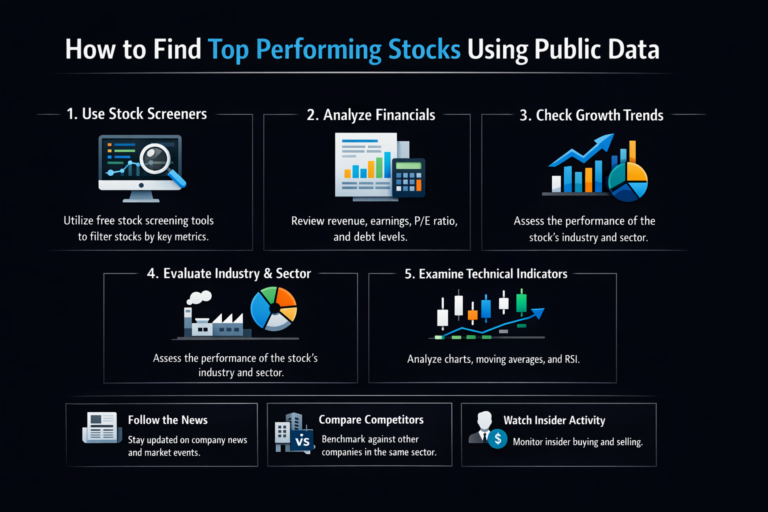
Custom Screeners: Beyond basic filters, Moomoo allows you to create complex screening criteria combining technical indicators, fundamental data, and market metrics. I’ve set up a screener that finds stocks with RSI below 30 (oversold), positive earnings surprises, and insider buying—this has identified several excellent opportunities.
Options Strategy Builder: Instead of buying single options, you can construct multi-leg strategies like iron condors, butterflies, and calendar spreads with visual risk graphs. When I started exploring credit spreads, the visual payout diagram helped me understand my maximum risk/reward instantly.
Algorithmic Order Types: Beyond basic limit orders, explore trailing stop orders, bracket orders (OCO – One Cancels Other), and conditional orders. I use bracket orders for every trade now—they automatically set my profit target and stop loss simultaneously, removing emotion from trade management.
Backtesting Capabilities: While not a full backtesting suite, Moomoo’s historical data combined with charting tools lets you manually test strategies on past price action. I spend one Sunday each month reviewing how my current strategy would have performed over the last 5 years.
API Access (For Developers): Moomoo offers API access for automated trading systems. While this requires programming knowledge, it opens possibilities for algorithmic strategies. I know a developer who built a simple mean-reversion bot that trades SPY options based on Bollinger Bands—it runs passively alongside his manual trading.
Moomoo vs. The Competition – Where It Really Shines
Having used multiple platforms over my 10+ years trading, I can pinpoint exactly where Moomoo excels compared to alternatives:
Against Robinhood: Moomoo wins on tools and data. While Robinhood pioneered commission-free trading, Moomoo provides superior charting, more indicators, and better execution transparency. The $0.65 per options contract on Moomoo vs. Robinhood’s similar pricing is comparable, but Moomoo’s options analysis tools are more comprehensive.
Against Webull: This is a closer competition, as both offer robust tools. Moomoo edges out with its paper trading feature ($1M vs. Webull’s $1M initially but then $200k) and slightly more intuitive mobile interface. However, Webull has better extended hours trading visualization.
Against Traditional Brokers (Fidelity, Schwab): Moomoo dominates on commission structure and modern UX. Traditional brokers have better research and mutual fund offerings, but for active stock and options trading, Moomoo’s $0 commissions save significant money. I maintain my retirement accounts at a traditional broker but execute all my active trades on Moomoo.
Against Interactive Brokers: For advanced traders, IBKR offers more global markets and sophisticated tools, but with a steeper learning curve and more complex fee structure. Moomoo serves as an excellent bridge between beginner platforms and IBKR’s professional environment.
My Personal Stack: I use Moomoo for execution, a traditional broker for long-term holdings and retirement accounts, and supplemental services for specialized research. This hybrid approach leverages each platform’s strengths.
Moomoo vs Robinhood vs Webull
| Feature | Moomoo | Robinhood | Webull |
|---|---|---|---|
| Commission Structure | $0 stocks/ETFs, $0.65/options contract | $0 stocks/ETFs, $0.65/options contract | $0 stocks/ETFs, $0.55/options contract |
| Account Minimum | $0 | $0 | $0 |
| Advanced Charting | Excellent (100+ indicators) | Basic | Very Good (80+ indicators) |
| Paper Trading | $1,000,000 virtual | Limited simulations | $1,000,000 initial, then $200k |
| Real-Time Data | Free (including NASDAQ Level 2) | Free basic, paid for advanced | Free (including NASDAQ Level 2) |
| Best For | Traders wanting pro tools without fees | Complete beginners, simple interface | Active traders wanting balance |
Conclusion
You now possess a complete roadmap to begin your journey on one of the most powerful commission-free trading platforms available. By following these steps to download, verify, fund, and explore Moomoo, you’re positioning yourself to trade efficiently while accessing professional-grade tools typically reserved for institutional investors.
Remember that the platform is just a tool—your success depends on developing a sound strategy, managing risk, and continuing your education. Start today by downloading the app and creating your account. Use the paper trading feature to build confidence, then begin with small, thoughtful real-money trades as you develop your approach.
Frequently Asked Questions
Recommended Resources
- Bloomberg Terminal – The industry standard for professional traders. While expensive, their market data, news, and analytics are unparalleled. I use their mobile app for real-time news alerts.
- Reuters Eikon – Excellent for macroeconomic data and global market coverage. Their earnings calendar and analyst estimates are more comprehensive than most free alternatives.
- TradingView – My go-to for advanced charting and technical analysis. While Moomoo has good charts, TradingView’s social features and custom indicator library are exceptional.
About the Author