Refinance Calculator: Calculate Your Savings
 Muhammad Faraz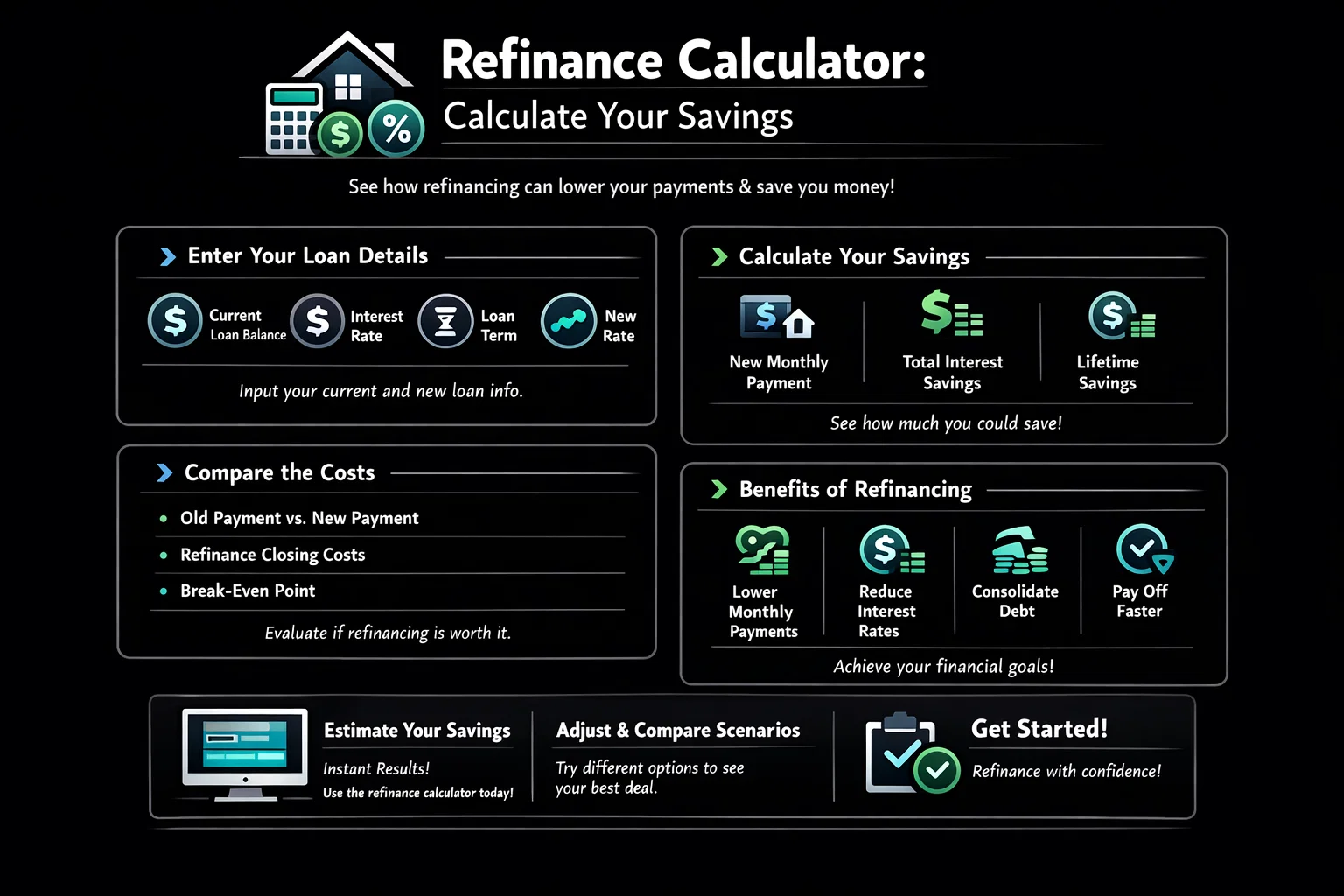
Refinance Calculator: Calculate Your Savings
Refinance Calculator
Compare your current mortgage to a new loan and find your break-even point
Current Mortgage
New Refinanced Loan
Your Refinance Analysis
Payment breakdown visualization will appear here
How to Use the Refinance Calculator
- Step 1: Enter Your Current Loan Details. Input your remaining loan balance, current interest rate, and the number of years left on your mortgage. Use the sliders for precise rate and term adjustments.
- Step 2: Input the Proposed New Loan Details. Enter the new interest rate you’ve been quoted, the desired new loan term, and the estimated closing costs.
- Step 3: Analyze the Results. Review the new monthly payment, your potential monthly savings, and the total interest paid over the life of each loan. The most critical figure is the break-even point, which tells you how many months it will take to recoup your closing costs.
How Refinance Savings are Calculated
The calculator uses a standard loan amortization formula to compute the monthly Principal & Interest (P&I) payment for both loans based on the principal, interest rate, and term.
- Monthly Savings: This is simply your old monthly P&I minus your new monthly P&I. A positive number means you save money each month.
- Total Interest: This is calculated as
(Monthly Payment * Loan Term in Months) - Loan Principal. It shows the total cost of borrowing over the full life of the loan. - Break-Even Point: This is the most important metric. It’s calculated as
Total Closing Costs / Monthly Savings. It tells you how long you need to stay in the home for the refinance to be financially beneficial.
Example: If you save $100 per month and your closing costs are $3,000, your break-even point is 30 months ($3,000 / $100).
How to Apply These Results to Your Financial Strategy
- Lowering Monthly Payment: If you plan to stay in your home long past the break-even point, refinancing to a lower rate is a great way to free up monthly cash flow for other goals like investing or paying down debt.
- Shortening Your Loan Term: If you can afford a slightly higher payment, refinancing from a 30-year to a 15-year term, even at a lower rate, can save you tens of thousands in interest over the life of the loan, helping you build equity faster.
Common Mistake: Don’t focus only on the monthly payment. A lower payment on a new 30-year loan might mean you pay more interest in the long run compared to your old loan if you were already several years into it. Always check the “Total Interest” comparison.
Advanced Calculation Scenarios
- Cash-Out Refinance: If you’re taking cash out, add the amount you’re cashing out to your current balance to get your new loan principal. For example, if you owe $200k and want $50k cash, use $250k as the balance for the new loan calculations.
- Paying Points for a Lower Rate: You can model paying discount points (which are part of your closing costs) to get a lower
New Interest Rate. Input the higher closing costs and the lower rate to see if the long-term interest savings justify the upfront cost. - Comparing a 15-Year vs. 30-Year Loan: Use the calculator twice. First, input the new loan as a 30-year term. Reset, then input it as a 15-year term. Compare the monthly payment difference against the massive long-term interest savings to decide what fits your budget and goals.
Frequently Asked Questions About Refinancing
Related Calculators
- Mortgage Affordability Calculator: Find out how much house you can afford based on your income and debts.
- Loan Amortization Calculator: See a detailed breakdown of every mortgage payment over the life of your loan.
- Compound Interest Calculator: See how your savings can grow over time, a perfect complement to understanding long-term interest costs.
- Debt Payoff Calculator: Plan a strategy to pay down credit cards and other high-interest debt.
About the Author