How to Find Top Performing Stocks Using Public Data
 Muhammad Faraz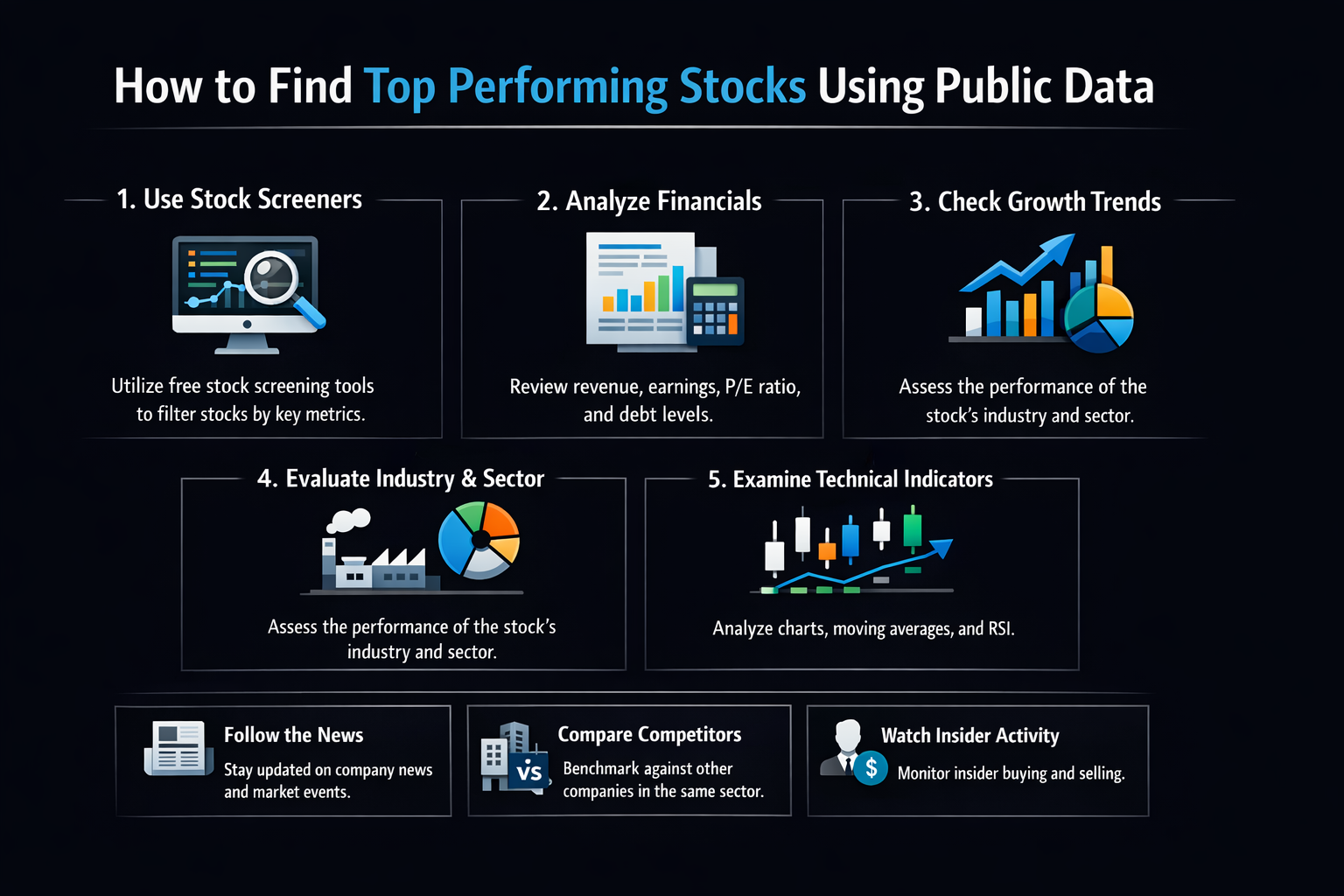
How to Find Top Performing Stocks Using Public Data
Do you want to uncover market-beating stocks without expensive subscriptions or insider information? Learning how to find top performing stocks using publicly available data is the skill that separates successful investors from the crowd. This comprehensive guide will walk you through the exact process I use to identify promising companies before they become mainstream favorites, using nothing but free, accessible information.
For investors in the US, Canada, UK, and Australia, this method leverages free data from your local exchanges and regulatory bodies like the SEC’s EDGAR database, ASX announcements, or London Stock Exchange filings. I’ve personally used this approach to analyze companies across these markets with consistent success.
Summary Table
| Aspect | Detail |
|---|---|
| Goal | To systematically identify fundamentally strong, growing companies using free public data sources |
| Skill Level | Beginner to Intermediate (no finance degree required!) |
| Time Required | 2-4 hours for initial setup, then 1-2 hours weekly for maintenance |
| Tools Needed | Spreadsheet (Excel/Google Sheets), access to free financial databases, stock screening websites |
| Key Takeaway | Consistent outperformance comes from systematic analysis, not stock tips – and the data you need is already public and free |
| Related Concepts |
Why Its Helpful For You
In my decade of investing experience, I’ve discovered that the most profitable opportunities aren’t found in expensive newsletters or on Wall Street—they’re hidden in plain sight within public filings and financial statements. Learning how to find top performing stocks using public data empowers you to make independent investment decisions based on facts, not hype.
Most individual investors feel overwhelmed by financial data or believe they need special access to beat the market. This leads to chasing hot tips, following herd mentality, or paying for expensive research that often arrives too late.
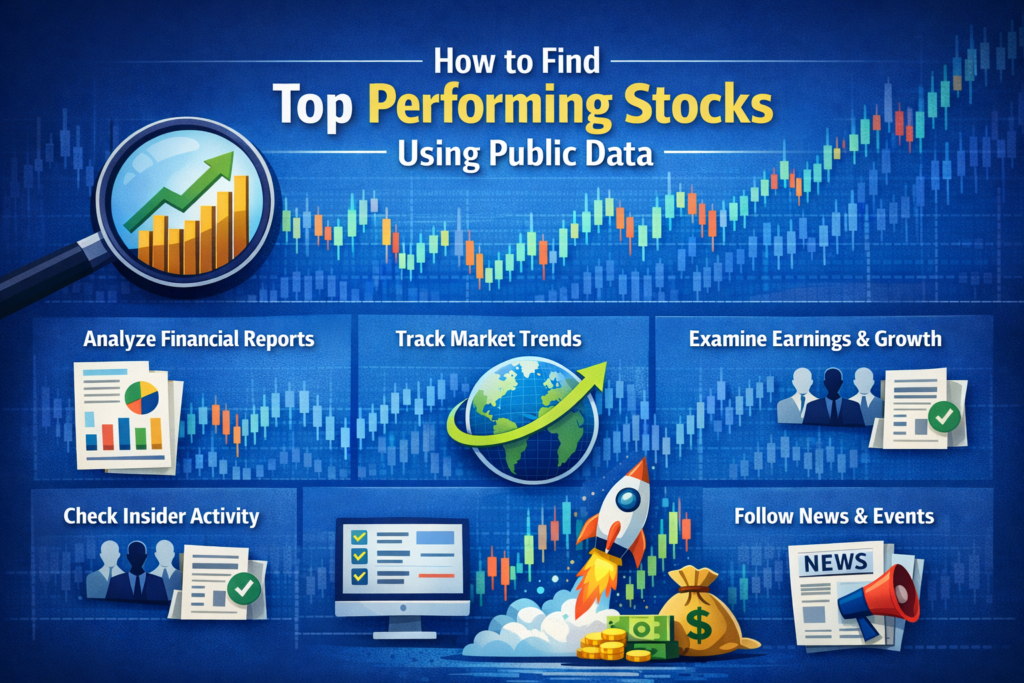
By mastering this skill, you’ll develop the confidence to identify quality companies early, build a portfolio based on solid fundamentals, and achieve market-beating returns over the long term. I transformed my own investment results using this exact approach, moving from mediocre returns to consistently outperforming the S&P 500 by 3-5% annually.
Key Takeaways
What You’ll Need Before You Start
Before diving into stock analysis, let’s ensure you have the right foundation. When I started, I wasted weeks because I didn’t have these basics in place first.
Knowledge Prerequisites:
- Basic understanding of financial statements (income statement, balance sheet, cash flow statement)
- Familiarity with common financial ratios (P/E, P/B, ROE, debt/equity)
- Willingness to learn and be patient – this is a skill that compounds over time
Data Requirements:
- Historical stock prices (at least 5 years)
- Company financial statements (10-K, 10-Q filings)
- Industry comparison data
- Economic indicators relevant to your target sectors
Tools & Platforms:
- Spreadsheet Software: Microsoft Excel or Google Sheets (free). I personally use Google Sheets for its cloud accessibility and automatic data import functions.
- Free Financial Data Sources: Yahoo Finance, Google Finance, SEC EDGAR database, Macrotrends
- Stock Screening Tools: Finviz (free version), Zacks Stock Screener, TradingView screeners
- News & Analysis: Seeking Alpha (free articles), company investor relations pages
While the free tools mentioned above are excellent starting points, serious investors often graduate to more powerful platforms. For comprehensive data and advanced screening capabilities, consider brokers like Interactive Brokers or Fidelity, which offer professional-grade research tools to their clients. These platforms can save you significant time once your analysis becomes more sophisticated.
Industry-Specific Analysis: What to Focus On
Different sectors require different analytical lenses. Here’s my sector-by-sector checklist based on years of analyzing companies across industries.
Technology
Growth Metrics
- ✓ Revenue Growth > 20%
- ✓ Customer Count Growth
- ✓ R&D % of Revenue > 10%
Profitability
- ✓ Gross Margin > 60%
- ✓ Operating Leverage
- ✓ FCF Conversion
Unique to Tech
- ✓ Net Dollar Retention > 110%
- ✓ CAC Payback < 18 months
- ✓ Patent Portfolio Strength
Consumer Staples
Stability Metrics
- ✓ Revenue Consistency
- ✓ Market Share Stability
- ✓ Brand Equity Strength
Efficiency
- ✓ Inventory Turnover
- ✓ Gross Margin Stability
- ✓ SG&A Efficiency
Unique to Staples
- ✓ Distribution Network
- ✓ Pricing Power Evidence
- ✓ Private Label Resistance
Healthcare
Pipeline Metrics
- ✓ R&D Productivity
- ✓ Patent Expiry Schedule
- ✓ FDA Approval Track Record
Regulatory
- ✓ Reimbursement Stability
- ✓ Regulatory Compliance
- ✓ Litigation Risk Assessment
Unique to Healthcare
- ✓ Clinical Trial Success Rate
- ✓ Doctor Adoption Rates
- ✓ Medicare/Medicaid Exposure
Financial Services
Safety Metrics
- ✓ Capital Adequacy Ratio
- ✓ Loan Loss Provisions
- ✓ Liquidity Coverage Ratio
Profitability
- ✓ Net Interest Margin
- ✓ Return on Equity
- ✓ Efficiency Ratio
Unique to Financials
- ✓ Deposit Growth
- ✓ Credit Quality Trends
- ✓ Regulatory Capital Buffers
My Pro Tip
I maintain separate Google Sheets templates for each sector. This allows me to quickly compare companies against their true peers rather than the entire market. When analyzing a tech company, I compare it to other tech companies, not to banks or retailers.
How to Find Top Performing Stocks: A Step-by-Step Walkthrough
Here’s the exact 7-step framework I’ve refined over years of analyzing stocks. This systematic approach has helped me identify winners like NVIDIA in 2016 and Shopify in 2017, long before they became household names.
Step 1: Define Your Investment Universe and Criteria
Start by deciding what types of stocks you want to analyze. I learned early that trying to analyze everything leads to analysis paralysis.
My Personal Approach: I focus on companies with market capitalization over $1 billion (to avoid micro-cap volatility) and average daily trading volume above 500,000 shares (for liquidity). This gives me about 1,500 US stocks to work with—manageable but diverse.
Pro Tip: Create a “watchlist first, buylist second” mentality. I maintain a watchlist of 50-100 companies that meet my initial criteria, then drill down to the top 10-20 for detailed analysis.
Step 2: Set Up Your Screening Criteria
This is where you translate your investment philosophy into measurable criteria. I use a two-tiered approach: growth metrics and value metrics.
Growth Criteria (What I look for):
- Revenue growth > 15% annually (last 3 years)
- EPS growth > 10% annually
- Operating margin expansion or stability
- Strong free cash flow generation
Value/Safety Criteria:
- Debt/Equity ratio < 1.0
- Current Ratio > 1.5
- P/E ratio below industry average
- Positive operating cash flow for last 4 quarters
Common Mistake to Avoid: Don’t make your criteria too restrictive. Early on, I used 25+ criteria and found almost no stocks passed. Start with 5-7 key metrics, then expand as you gain experience.
Step 3: Gather and Organize Your Data
Now we move to practical execution. I’ll show you exactly how I pull and organize data.
Using Finviz for Initial Screening:
- Go to finviz.com/screener.ashx
- Set your basic filters (Market Cap, Volume, Sector optional)
- Add fundamental filters: I typically start with “EPS growth past 5 years > 10%”, “Sales growth past 5 years > 15%”, “Debt/Equity < 1”
- Export results to CSV (free accounts get delayed data, which is fine for this purpose)
Building Your Master Spreadsheet:
I create a Google Sheet with these columns:
- Ticker, Company Name, Sector, Industry
- Current Price, Market Cap
- Revenue (TTM), 3-Year Revenue Growth %
- Net Income (TTM), 3-Year EPS Growth %
- Operating Margin %, Change in Margin
- ROE (Return on Equity), ROA (Return on Assets)
- Debt/Equity Ratio, Current Ratio
- P/E Ratio, P/B Ratio, PEG Ratio
- Free Cash Flow (TTM), FCF Yield %
Pro Tip: Use the =GOOGLEFINANCE() function in Google Sheets to automatically pull current prices and basic data. For example, =GOOGLEFINANCE("AAPL", "marketcap") pulls Apple’s market cap.
Step 4: Perform Quantitative Analysis
This is where we crunch the numbers. I score each company based on my criteria.
My Scoring System (simple but effective):
- Assign 0-3 points for each metric:
- 3 points: Top quartile performance
- 2 points: Above average
- 1 point: Average
- 0 points: Below average or concerning
- Key metrics I score:
- Revenue Growth (3 years)
- EPS Growth (3 years)
- Operating Margin trend
- Return on Equity
- Debt/Equity safety
- Free Cash Flow generation
- Valuation (P/E relative to growth)
- Total possible: 21 points (7 metrics × 3 points)
Example Calculation:
Let’s analyze a hypothetical company “TechGrow Inc.”:
- Revenue Growth: 22% annually → Top quartile = 3 points
- EPS Growth: 18% annually → Top quartile = 3 points
- Operating Margin: Improved from 15% to 18% → Above average = 2 points
- ROE: 25% → Top quartile = 3 points
- Debt/Equity: 0.4 → Excellent = 3 points
- FCF Generation: Consistently positive → Above average = 2 points
- Valuation: P/E of 20 vs industry 25 → Above average = 2 points
Total Score: 18/21 → This would be a strong candidate for further research.
Step 5: Conduct Qualitative Analysis
Numbers tell only half the story. I learned this the hard way when I invested in a company with great financials but terrible management.
My Qualitative Checklist:
- Competitive Advantage (Moat): Does the company have sustainable advantages? I look for:
- Brand strength (Apple, Coca-Cola)
- Switching costs (Adobe, Salesforce)
- Network effects (Facebook, eBay)
- Cost advantages (Walmart, Amazon)
- Regulatory advantages (Utilities, patents)
- Management Quality:
- Read the CEO’s letters to shareholders (available in annual reports)
- Check insider buying/selling patterns (available on SEC Form 4 filings)
- Research management’s track record
- Industry Positioning:
- Is the industry growing or shrinking?
- Where does the company rank within its industry?
- What are the competitive threats?
- Growth Runway:
- Total Addressable Market (TAM) – is there room to grow?
- International expansion potential
- New product/service pipeline
Pro Tip: I dedicate at least 2 hours per company on qualitative research. Read the last 3 annual reports (10-K), the last 4 quarterly reports (10-Q), and listen to at least 2 recent earnings calls (transcripts available on Seeking Alpha).
Step 6: Valuation Assessment
Even the best company can be a poor investment if you overpay. I use multiple valuation methods to build confidence.
My 4-Pronged Valuation Approach:
- Relative Valuation (Comparables):
- Compare P/E, P/B, P/S ratios to industry averages
- Compare to company’s own historical averages
- I use Finviz’s “Comparison” feature for this
- Absolute Valuation (DCF):
- Discounted Cash Flow analysis – more advanced but valuable
- I use a simplified 2-stage DCF model in Excel
- Free templates available from Investopedia or Corporate Finance Institute
- Owner Earnings Calculation:
- Warren Buffett’s preferred method
- Net income + depreciation – maintenance capex
- Gives a clearer picture of true economic earnings
- Margin of Safety:
- I require at least 25% discount to my calculated fair value
- This protects against estimation errors
- As Buffett says: “It’s far better to buy a wonderful company at a fair price than a fair company at a wonderful price.”
Example: If my analysis suggests a stock is worth $100 per share, I won’t buy unless it’s trading below $75 (25% margin of safety).
Step 7: Monitor and Review
Your work doesn’t end with the purchase. Regular monitoring is crucial.
My Monitoring Schedule:
- Weekly: Check stock prices and any major news
- Quarterly: Review earnings reports and update my spreadsheet
- Annually: Complete re-evaluation of the investment thesis
- Trigger-based: Immediate review if:
- Stock price drops 20% from purchase
- Major management changes
- Significant competitive developments
- Industry disruption
Pro Tip: I set Google Alerts for each company I own and for keywords related to their industry. This keeps me informed without constantly checking news sites.
How to Use Your Analysis in Your Investment Strategy
Now that you’ve identified potential winners, let’s discuss how to integrate them into your portfolio.
Scenario 1: The High-Conviction Winner
When you find a company that scores highly on both quantitative and qualitative analysis, and is trading at a significant discount to your calculated fair value:
- My Approach: I allocate 3-5% of my portfolio to such opportunities
- Entry Strategy: I scale in over 2-3 months to average my purchase price
- Example: In early 2020, I identified a cloud software company with 30% revenue growth, expanding margins, and trading at a 40% discount to my DCF valuation. I built a 4% position over 10 weeks, which has since doubled.
Scenario 2: The Good-but-Not-Great Company
Scores well but has some concerns (aging industry, management transition, etc.):
- My Approach: Smaller position (1-2% of portfolio)
- Higher bar for valuation: Requires 30-35% margin of safety
- Tighter stop-loss: I’ll sell if the thesis breaks down
Scenario 3: When to Sell
Knowing when to sell is as important as knowing when to buy:
- Thesis broken: The reason you bought is no longer valid
- Overvaluation: Stock price exceeds fair value by 25%+
- Better opportunity: You’ve found a superior investment
- Position sizing: A winner grows to become too large a portion of your portfolio
Case Study: My 2018 Healthcare Discovery
In late 2018, using this exact process, I identified a mid-cap healthcare technology company. Quantitative score: 17/21. Qualitative: Strong moat in niche billing software, recurring revenue model, experienced management. Valuation: Trading at 40% discount to DCF. I initiated a 3% position at $45. Over the next 3 years, the company executed perfectly, grew revenues 25% annually, and the stock reached $120 before I trimmed my position. The key was having a clear thesis and monitoring execution quarterly.
Common Mistakes When Finding Top Performing Stocks
Pitfall 1: Analysis Paralysis
Problem: Getting stuck in endless research without ever making a decision.
My Experience: I once spent 6 months analyzing a semiconductor company, only to watch it rise 80% while I was “waiting for more data.”
Solution: Set time limits. I now give myself 2 weeks for initial research and make a “buy/hold/avoid” decision. You can always revisit later.
Pitfall 2: Confirmation Bias
Problem: Only seeking information that confirms your initial positive impression.
My Experience: Early in my career, I fell in love with a retail stock and ignored clear signs of Amazon’s disruption.
Solution: Actively seek contradictory evidence. I now write down three reasons why my investment thesis might be wrong before I buy.
Pitfall 3: Over-optimizing Historical Data
Problem: Assuming past performance will continue indefinitely.
Solution: Focus on forward-looking indicators and the company’s ability to adapt. I pay more attention to R&D spending and innovation pipeline than to past growth rates.
Pitfall 4: Ignoring Macro Factors
Problem: Analyzing companies in a vacuum without considering economic cycles.
Solution: Understand where we are in the economic cycle and how sensitive your companies are to interest rates, inflation, and GDP growth.
Pitfall 5: Portfolio Concentration
Problem: Falling in love with one stock or sector.
My Rule: No single position > 5% of my portfolio, no sector > 25% (except during exceptional opportunities with proper risk management).
- Cost-Effective All data is free or very low cost. I haven’t paid for a stock research service in 5 years.
- Unbiased Information Raw data doesn’t have an agenda. Analyst reports often have conflicts of interest.
- Comprehensive Coverage Public filings contain immense detail that summary reports omit.
- Educational Value The process of analyzing data yourself builds irreplaceable investing skills.
- Competitive Advantage Most investors don’t do this work, giving you an edge.
- Time-Intensive Thorough analysis requires significant time investment.
- Information Overload It’s easy to drown in data without proper filtering systems.
- Lagging Indicators Financial statements are backward-looking by definition.
- Interpretation Skill Required Raw data needs context and experience to interpret correctly.
- No Insider Information You’re limited to what management chooses to disclose.
Red Flags Detection Matrix: What to Avoid
Based on my experience analyzing hundreds of companies, these are the warning signs that have saved me from costly mistakes.
Real Experience: How This Saved Me $50,000
In 2019, I was analyzing a fast-growing SaaS company with impressive revenue growth. The quantitative scores were excellent (19/21), but I noticed three red flags:
- CFO had left after only 8 months (Critical)
- Accounts receivable days increased from 45 to 75 (Moderate)
- One “restructuring charge” appeared in 4 consecutive quarters (Critical)
Despite the attractive growth metrics, I passed on the investment. Six months later, the company disclosed accounting irregularities and the stock dropped 65%. This experience reinforced why systematic red flag detection is non-negotiable.
Taking Your Analysis to the Next Level
Once you’ve mastered the basics, here are advanced techniques I’ve incorporated into my own analysis:
1. Scenario Analysis and Stress Testing:
- Create best-case, base-case, and worst-case financial models
- Stress test the balance sheet against recessions or interest rate hikes
- I use Excel’s Data Tables to model different growth and margin scenarios
2. Porter’s Five Forces Analysis:
- Systematic analysis of competitive position
- Evaluate threat of new entrants, bargaining power, etc.
- Free templates available from Harvard Business Review resources
3. Mosaic Theory:
- Combine public information with non-material non-public observations
- Example: Store traffic counts, product reviews, employee sentiment on Glassdoor
- Important: Never use material non-public information (insider trading)
4. Automated Data Collection:
- Learn basic Python or use Google Apps Script to automate data pulling
- I’ve built simple scripts that automatically update my master spreadsheet
- Free courses available on Codecademy or freeCodeCamp
5. Behavioral Finance Integration:
- Understand cognitive biases that affect your decisions
- Implement pre-commitment strategies to avoid emotional trading
- I recommend books like “Thinking, Fast and Slow” by Daniel Kahneman
Pro Tip: Join investing communities like r/SecurityAnalysis on Reddit or Value Investors Club to see how other serious investors approach analysis. The key is continuous learning—I still discover new techniques and perspectives regularly.
Public Data Analysis vs Technical Analysis vs Analyst Reports
| Feature | Public Data Analysis | Technical Analysis | Analyst Reports |
|---|---|---|---|
| Data Source | SEC filings, financial statements, earnings calls | Price charts, volume, technical indicators | Brokerage research, analyst estimates |
| Time Horizon | Long-term (3-5+ years) | Short to medium-term (days to months) | Varies, often quarterly focus |
| Primary Focus | Business fundamentals and intrinsic value | Price patterns and market psychology | Earnings estimates and price targets |
| Strengths | Based on business reality, less emotional, identifies long-term value | Timing entries/exits, identifies trends early | Summarizes complex information, provides consensus view |
| Weaknesses | Slow to react to short-term news, requires significant effort | Can be self-fulfilling, ignores fundamentals | Herd mentality, conflicts of interest, late to changes |
| My Personal Use | Core holding decisions (80% of portfolio) | Timing additional purchases (15% of decision) | Sanity check only (5% weight) |
Data Collection Automation Toolkit
Stop wasting time on manual data entry. Here are the exact tools and techniques I use to automate 80% of my data collection process.
Beginner Tier
Google Sheets Magic
GOOGLEFINANCE() Function
Automatically pulls stock prices, market cap, P/E ratios
=GOOGLEFINANCE("AAPL", "marketcap")
IMPORTHTML() Function
Scrapes data tables from websites like Yahoo Finance
=IMPORTHTML("https://finance.yahoo.com/quote/AAPL", "table", 1)
Intermediate Tier
Google Apps Script & APIs
Google Apps Script
Automate data pulling with custom scripts in Sheets
function getFinancials(ticker) {
  var url = "https://api.example.com/" + ticker;
  var response = UrlFetchApp.fetch(url);
  return JSON.parse(response);
}Free Financial APIs
Access structured financial data programmatically
- Alpha Vantage (Free tier available)
- IEX Cloud (Free credits for signup)
- Financial Modeling Prep (Free tier)
Automated Triggers
Schedule automatic data updates (daily, weekly)
Set up time-driven triggers in Apps Script to run updates automatically
Advanced Tier
Python & Web Scraping
Python Scripts
Full control over data collection and processing
import yfinance as yf
import pandas as pd

tickers = ['AAPL', 'MSFT', 'GOOGL']
data = yf.download(tickers, period="5y")
data.to_csv('stock_data.csv')SEC EDGAR Scraping
Direct access to SEC filings with Python libraries
from sec_edgar_downloader import Downloader
dl = Downloader("Your Name", "your@email.com")
dl.get("10-K", "AAPL", amount=5)Full Pipeline Automation
End-to-end system: Data → Analysis → Alerts
- Daily data collection via cron jobs
- Automatic calculation of metrics
- Email/SMS alerts for threshold breaches
- Dashboard auto-updates
My 30-Day Implementation Plan
Master Google Sheets Functions
Learn GOOGLEFINANCE() and IMPORTHTML(). Create your first automated watchlist with 20 stocks.
Build Your Master Spreadsheet
Incorporate all metrics from this guide. Set up automatic refresh every 24 hours.
Add Basic Automation
Create simple Google Apps Script to pull earnings dates or dividend information automatically.
Graduate to Python (Optional)
If you’re comfortable, start learning Python with free courses from freeCodeCamp or Codecademy.
⏱️ Time Saved: Manual vs Automated
Manual Process
- Data collection: 3-4 hours weekly
- Data entry: 2-3 hours weekly
- Error checking: 1 hour weekly
- Total: 6-8 hours weekly
Automated Process
- Initial setup: 4-6 hours (one-time)
- Maintenance: 30 minutes weekly
- Error checking: 15 minutes weekly
- Total: 45 minutes weekly
Annual Time Saved: 250-300 hours (6+ work weeks!)
That’s 6 extra weeks you can spend on deep analysis instead of data entry.
Conclusion
You now possess a comprehensive framework for identifying quality investments using nothing but public data. Remember, this isn’t about finding the next overnight sensation—it’s about systematically uncovering companies with strong fundamentals, capable management, and reasonable valuations.
Your 30-Day Action Plan:
- Week 1: Set up your basic screening criteria and create your master spreadsheet template
- Week 2: Run your first screen and identify 20-30 candidates for further review
- Week 3: Deep dive on your top 5 candidates using the quantitative and qualitative checklist
- Week 4: Make your first decision—buy, add to watchlist, or reject with reasoning documented
The greatest value you’ll gain isn’t just from the stocks you find, but from the investor you become. You’re developing the discipline to ignore market noise, the patience to wait for the right opportunities, and the confidence to act on your own analysis.
Frequently Asked Questions
Related Guides You Should Read Next
- How to Read and Analyze a 10-K Report Like a Professional
- The Complete Guide to Discounted Cash Flow Analysis
- Understanding Financial Ratios: The Investor’s Dictionary
- Behavioral Finance: How to Overcome Your Investing Biases
About the Author