How to Use Trading Simulator to Practice Without Real Money
 Muhammad Faraz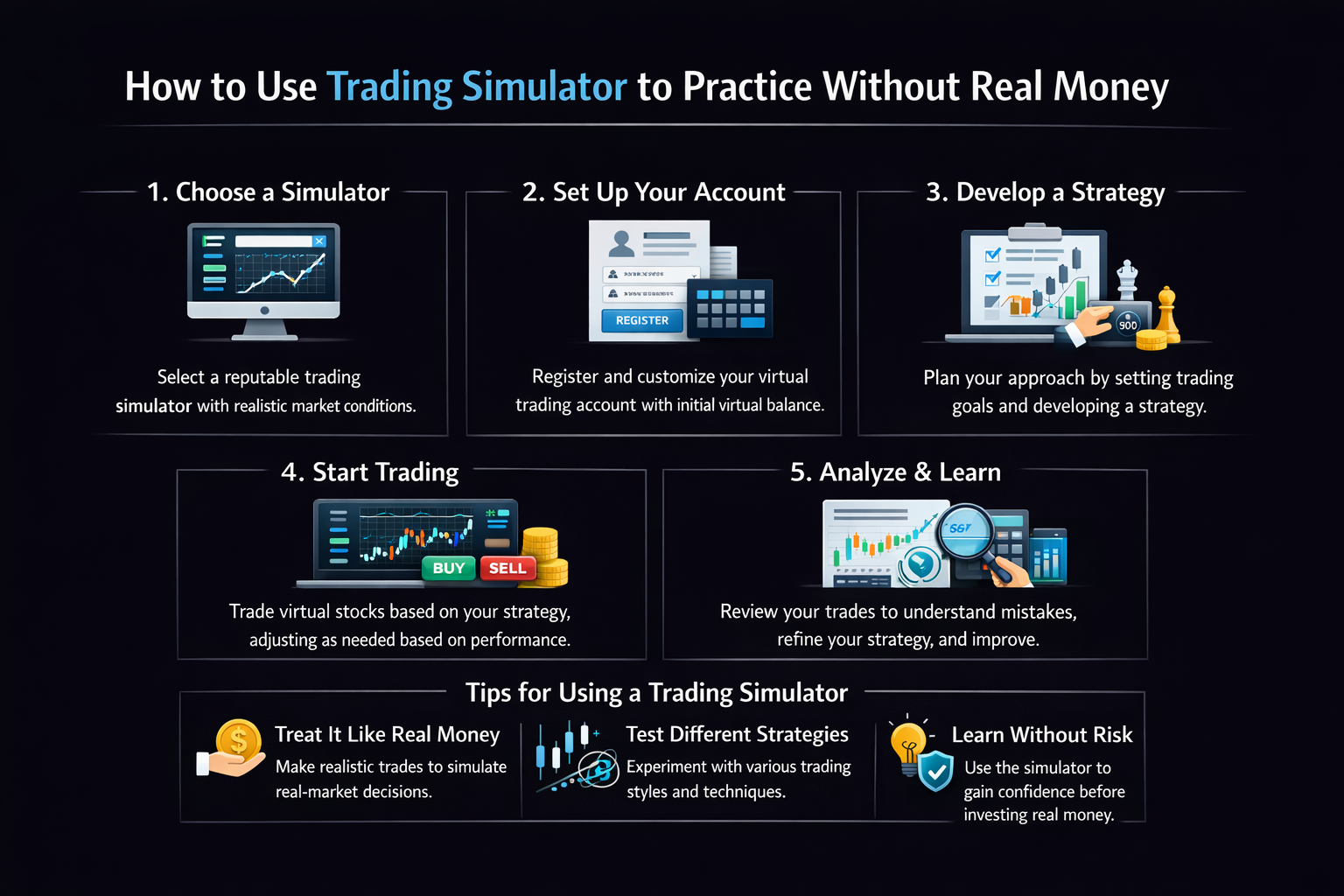
How to Use Trading Simulator to Practice Without Real Money
Want to learn to trade but are terrified of losing your hard-earned money? A trading simulator is your financial flight simulator. This guide will walk you through the entire process, from choosing the right platform to developing a profitable strategy, all without risking a single cent of real capital.
For aspiring traders in the US, Canada, UK, and Australia, using a simulator can help you master platforms like Thinkorswim (TD Ameritrade), MetaTrader, or TradingView before committing real funds, while also understanding local market nuances like pre-market trading or tax implications.
Summary Table
| Aspect | Detail |
|---|---|
| Goal | To proficiently use a paper trading simulator to develop, test, and refine a trading strategy in a risk-free environment. |
| Skill Level | Beginner to Intermediate |
| Time Required | 20-30 hours of dedicated practice to build initial competency. |
| Tools Needed | A reliable trading simulator (paper trading account), market data feed, a trading journal (digital or spreadsheet), and an internet connection. |
| Key Takeaway | Simulated trading is only effective if you treat it with the psychological and financial seriousness of live trading. The goal is to build statistically sound, repeatable habits, not just to win the simulator game. |
| Related Concepts |
Why Learning to Use a Trading Simulator is Crucial
Jumping into live markets with real money is like learning to drive on a busy highway during rush hour—terrifying and likely to end in a crash. A trading simulator solves this by providing a safe, consequence-free environment to make mistakes, learn from them, and build confidence. The problem it solves is the steep, expensive learning curve of trading. I remember my first live trade; my hands were shaking, I second-guessed my analysis, and I exited too early out of fear. Had I practiced in a simulator first, I would have been calmer and more disciplined.
The outcome of mastering a simulator is the development of a robust, tested strategy and the ironclad discipline needed to execute it under pressure. You’ll transition from a gambler hoping for wins to a strategic trader expecting results based on proven edge.
Key Takeaways
What You’ll Need Before You Start
Knowledge Prerequisites: A basic understanding of what you want to trade (stocks, forex, options) and fundamental concepts like bid/ask spread, what a candlestick chart is, and the difference between a market and limit order. You don’t need to be an expert, but you should know what you’re clicking on.
Data & Platform Requirements: You need a simulator that provides realistic, real-time (or delayed) market data. The platform’s mechanics (slippage, order fills) should mimic its live counterpart as closely as possible.
Tools & Platforms:
- A Quality Trading Simulator: This is your primary tool. Popular options include:
- Thinkorswim PaperMoney: (TD Ameritrade/Schwab) Excellent for stocks, options, and futures. Highly realistic.
- TradingView Paper Trading: Great for forex, crypto, and stocks. Integrated with their superb charting.
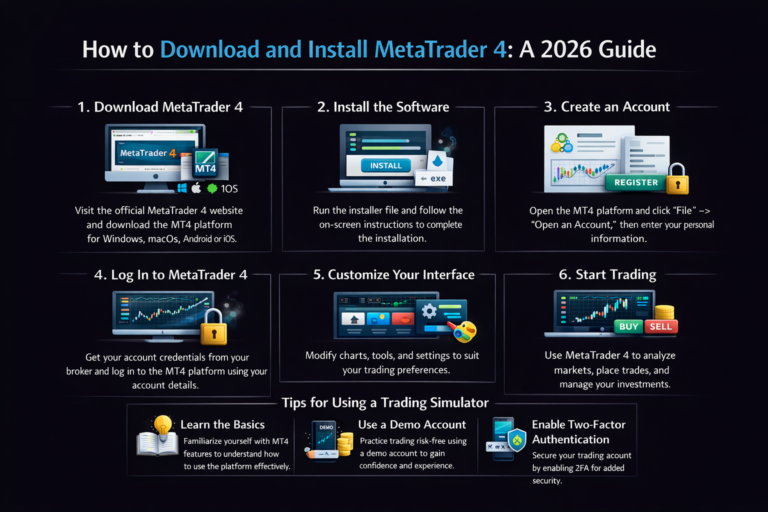
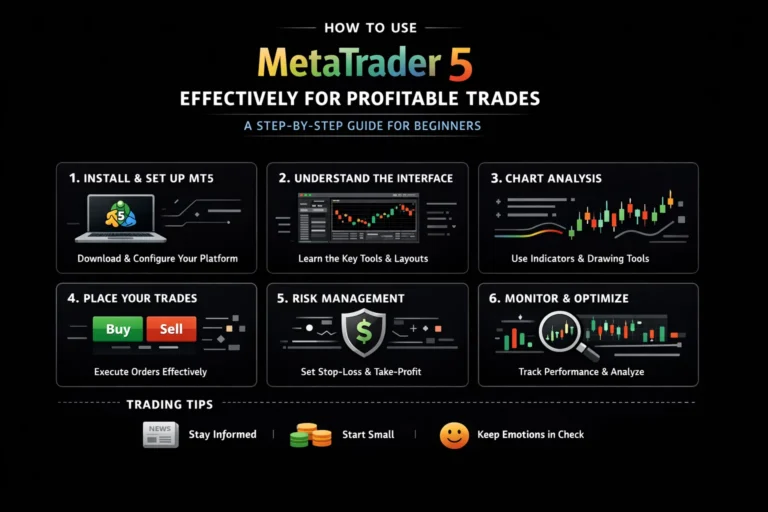
- MetaTrader 4/5 Demo Account: The industry standard for forex and CFD trading.
- Webull Paper Trading: User-friendly mobile and desktop app for stock and options trading.
- A Trading Journal: This is non-negotiable. Use a spreadsheet (Google Sheets or Excel), a note-taking app like Evernote, or a dedicated platform like Tradervue or Edgewonk.
- A Stable Internet Connection.
- Time & Patience: Schedule dedicated practice sessions. Treat it like a course.
Choosing the right simulator is the first critical step. Many of the best online brokers for beginners, like Charles Schwab (with thinkorswim) or Webull, offer industry-leading paper trading platforms for free to help you get started. The key is to practice on the same platform you plan to trade live on later.
How to Use a Trading Simulator: A Step-by-Step Walkthrough
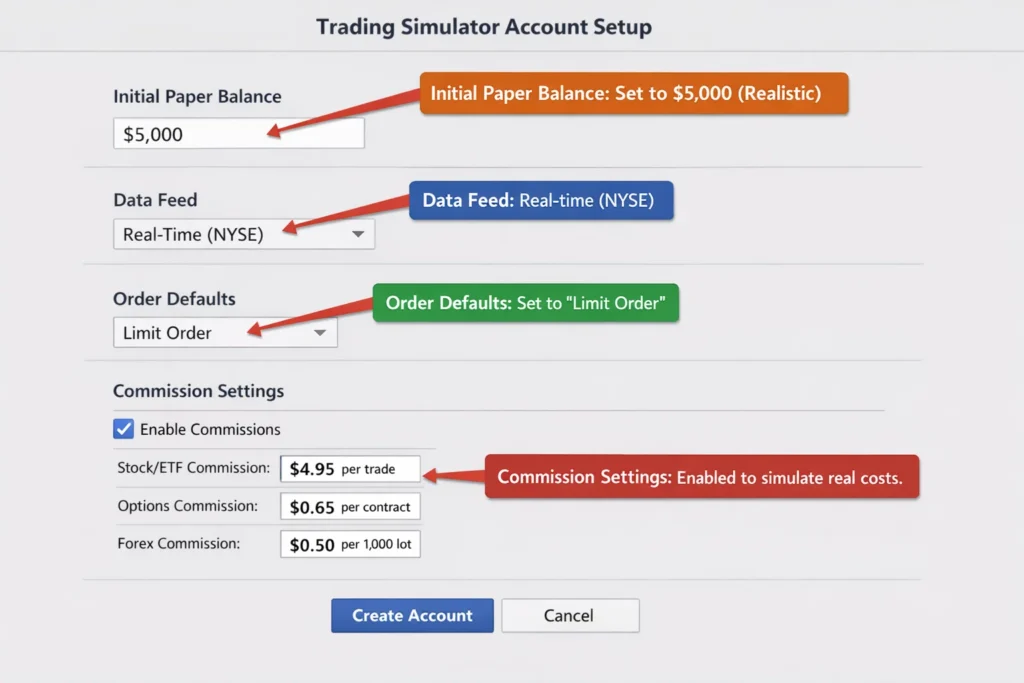
Step 1: Set Up Your Simulator for Realism
Your first task isn’t to trade; it’s to create a realistic training environment.
- Choose a Simulator linked to a broker you’re considering for live trading.
- Fund Your Paper Account with an amount that mirrors your real starting capital. If you plan to start with $5,000, use $5,000 in the simulator—not $100,000. This dictates your position sizing.
- Configure Market Data to be real-time or as close as possible.
- Familiarize Yourself with the Interface: Locate the watchlists, charting tools, order ticket, and account statement.
Pro Tip: When I set up my first Thinkorswim paperMoney account, I made the mistake of using $250,000. It made me overconfident and I took oversized positions. When I switched to a $10,000 account to match my real budget, my risk management improved instantly. Start with realism.
Step 2: Define and Document Your Initial Strategy
You can’t test what you haven’t defined. Before placing a single simulated trade, write down a simple trading plan.
- Market & Timeframe: What are you trading? (e.g., S&P 500 ETF – SPY). What chart timeframe? (e.g., 5-minute or daily).
- Entry Criteria: What specific condition must be met to enter? (e.g., “Price breaks above the high of the previous candle while the 9-period EMA is above the 21-period EMA”).
- Exit Criteria (Take Profit & Stop Loss): Where will you take profits? Where will you admit you’re wrong? Define these in points or percentages before entering.
- Position Sizing Rule: How much will you risk per trade? The golden rule is to risk 1-2% of your account per trade. For a $5,000 account, that’s $50-$100 risk per trade.
Common Mistake to Avoid: Entering trades based on a gut feeling in the simulator teaches you nothing and builds bad habits. Discipline starts here.
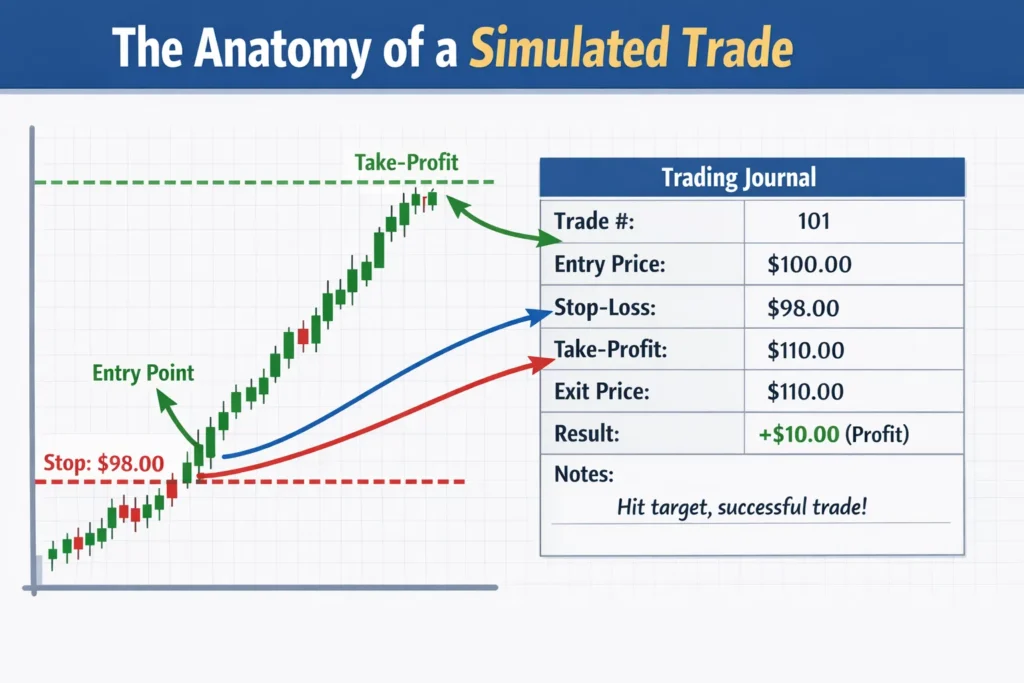
Step 3: Execute Trades and Meticulously Journal Everything
Now, trade your plan. For each trade, execute the following process:
- Identify the Setup based on your predefined criteria.
- Calculate Your Trade: If your stop loss is $0.50 below your $100 entry, and you’re willing to risk $75, your position size is $75 / $0.50 = 150 shares.
- Place the Order using the correct order type (start with Limit orders).
- Immediately Log the Trade in Your Journal. I use a Google Sheets template with these columns: Date, Symbol, Long/Short, Entry Price, Stop Loss, Take Profit, Position Size, Reason for Entry (What rule fired?), Exit Price, P&L, Reason for Exit (Hit stop? Hit target? Emotional?), and Lesson Learned.
Pro Tip: My most valuable early entries in my journal weren’t about profits, but about psychology. I’d write: “Exited early because I saw a red candle and got scared, even though my stop was still far away. My rule said to hold. I broke my rule and left $200 on the table.” This awareness is priceless.
Step 4: Review, Analyze, and Iterate
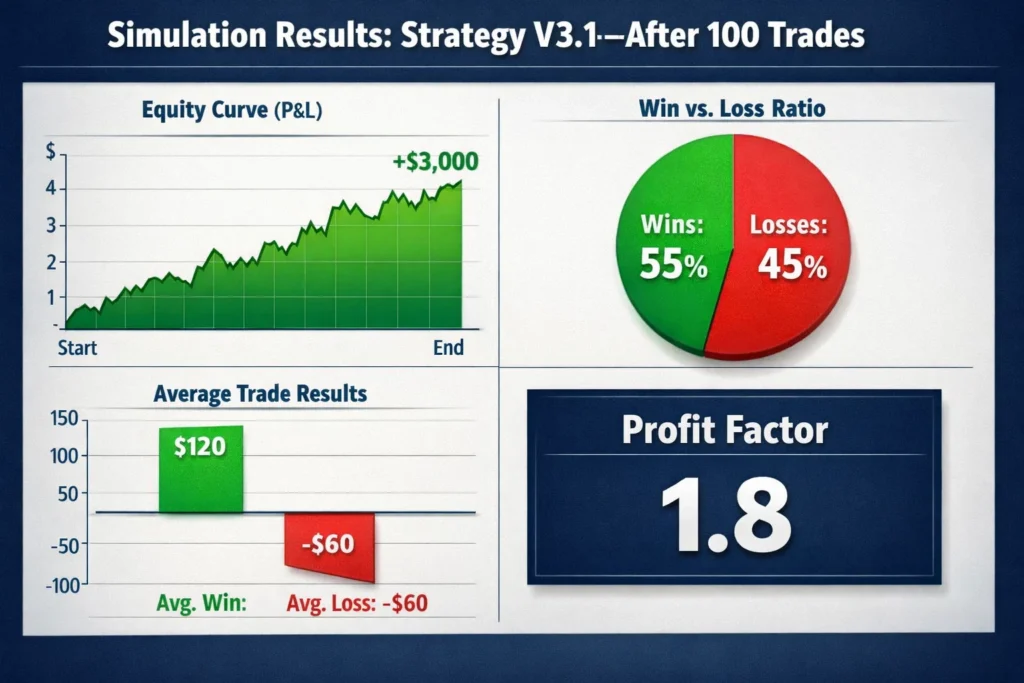
This is where the real learning happens. At the end of each week, analyze your journal.
- What was your win rate? (Number of winning trades / Total trades)
- What was your average win size vs. average loss size? (Your “risk-to-reward” ratio)
- Did you follow your rules on every trade? If not, why?
- Is your strategy profitable over 20+ trades? If not, which rule is failing?
How to Use Your Simulation Results in Your Live Trading Strategy
Your simulation data is a blueprint for live action.
Scenario 1: Consistent Profits & High Rule-Following. If your journal shows a positive profit factor (e.g., > 1.5) over 50+ trades and you followed rules >90% of the time, you may be ready to graduate to a small live account. Start with minimal capital (e.g., $500) and trade the exact same strategy with the same 1-2% risk. The goal is to transfer the process, not to make money immediately.
Scenario 2: Inconsistent Results or Poor Discipline. This is the most common and valuable outcome. If your P&L is flat or negative, or you keep breaking rules, you are not ready for live trading. The simulator has just saved you thousands of dollars. Your action plan is to isolate the flaw: Is it the strategy’s entry logic? The risk management? Your own psychology? Return to Step 2, adjust one variable, and test again.
Case Study (First Person Example): I once spent two months simulating a moving average crossover strategy on forex. The stats looked great (60% win rate). But when I reviewed my journal, I saw all my profits came from just two huge wins, and I had many small losses. The strategy’s “expectancy” was positive but it had large drawdowns. I realized my emotional tolerance couldn’t handle that variance. So, I used the simulator to tweak it, adding a filter to reduce trade frequency and improve consistency, before ever risking a real dollar.
Common Mistakes When Using a Trading Simulator
Pitfall 1: Treating It Like a Video Game. This is the “lottery ticket” mindset—taking massive, reckless risks because it’s not real money.
Solution: Impose real consequences. If you blow up your paper account, “reset” it but mandate a week of study and strategy review before trading again. Treat the drawdown as a real loss.
Pitfall 2: Not Simulating Realistic Conditions.
Solution: Enable simulated commissions/slippage in your platform settings. Use limit orders, not market orders, to practice getting a fill. Assume your fills will be slightly worse in live markets.
Pitfall 3: Switching Strategies Too Often (Strategy Hopping). After 3 losing trades, you abandon a strategy for a new one you saw on YouTube.
Solution: Commit to a minimum sample size (e.g., 30 trades) for any strategy test. You need statistical evidence, not emotional reactions. Keep a “Strategy Test Log” separate from your trade journal.
Pitfall 4: Ignoring the Psychological Element. You feel no fear or greed in the simulator, so you hold losers too long or cut winners too quickly without realizing it.
Solution: Use visualization. Before clicking “buy,” say out loud, “I am risking $75 of my $5,000 account on this trade.” This mental trick can bridge the psychological gap.
- Risk-Free Skill Development: The ultimate safe space to learn order execution, platform navigation, and basic strategy mechanics without financial consequences.
- Objective Strategy Validation: Provides hard, statistical data to answer “Does this idea actually work?” before risking a single dollar of real capital.
- Psychological Conditioning: Helps build the crucial muscle memory of your trading routine, checklists, and process, even if the emotional pressure is reduced.
- Cost-Effective Education: Saves you from paying exorbitant “tuition” to the market in the form of early, inevitable rookie losses.
- Unlimited “Do-Overs”: Allows you to test extreme market scenarios and your reactions to them, which is impossible with real money.
- Lack of Real Emotional Pressure: The fear of loss and the greed of potential gain are significantly muted, which is the single biggest factor in live trading mistakes.
- Potentially Unrealistic Order Fills: Paper accounts often get perfect fills at quoted prices, while live markets have slippage, especially in fast-moving conditions or with large orders.
- Can Foster Overconfidence: A lucky streak in the simulator can create a dangerous illusion of competence, leading to oversized risk-taking in live markets.
- Time-Consuming: To be effective, it requires a significant, disciplined time investment (dozens to hundreds of hours) that many aspiring traders underestimate.
- No “Skin in the Game”: Without real capital on the line, it’s easy to become lax with rules and journaling, undermining the entire learning purpose.
The 5-Tier Simulator Proficiency Checklist
Track your progress beyond P&L. Are you truly simulator-ready for live markets? Score yourself (1-5) on each tier:
Platform Mechanics
Defined Process
Rule Adherence
Statistical Awareness
Emotional Consistency
🎓 Graduation Rule:
You should be consistently scoring 4s and 5s in Tiers 1-4 before even considering a bridge account. Tier 5 is the primary goal of the bridge account itself—it’s where you truly test emotional control with real, albeit small, capital on the line.
🚨 When to ABORT a Simulator Strategy
Not all strategies deserve to go live. Here are hard rules for scrapping a strategy in the simulator before it costs you real money:
1. The Data Says “No”
Hard Rule: After 30+ statistically significant trades, the equity curve is sharply downward, and the profit factor is below 0.8.
2. It’s Un-executable in Practice
Hard Rule: The setup occurs too rarely for your lifestyle or requires impossible screen time.
❌ Bad Scenario:
- Strategy needs 5-minute chart monitoring
- You have a 9-5 job
- Setup occurs only 2-3 times per month
- Requires instant execution within 10 seconds
✅ Good Scenario:
- End-of-day strategy on daily charts
- You can trade after work
- Setup occurs 8-10 times per month
- 24-hour window to enter
3. It Causes Constant Rule-Breaking
Hard Rule: If you find yourself consistently overriding the rules because they “feel wrong,” the strategy doesn’t fit your psychology.
Psychology Fit Test (Answer Honestly):
When your stop loss is hit, do you:
When a trade hits your profit target, do you:
During a 5-trade losing streak, do you:
📋 The ABORT Decision Tree
Taking Your Simulation Practice to the Next Level
Once you’ve mastered basic strategy testing, use the simulator for advanced training:
- Stress-Test Specific Scenarios: Recreate past market crashes (like March 2020) or volatile events. How would your strategy have held up? Where would your stops have been hit? This is invaluable for understanding tail risk.
- Practice Advanced Order Types: Master trailing stop-losses, OCO (One-Cancels-Other) orders, and bracket orders in a risk-free setting.
- Simulate Multi-Asset Portfolios: If your goal is portfolio management, use the simulator to practice rebalancing a portfolio of ETFs or managing correlated positions.
- Introduce “Life” Variables: Pause your trading for a week to simulate a vacation or illness. Can you pick up where you left off without making emotional, “catch-up” trades?
For a deeper dive into quantifying your strategy’s edge, your next step is to learn about backtesting with platforms like TradingView’s Pine Script or dedicated software, which allows you to test your idea over decades of historical data instantly.
🌉 The Bridge Account Framework: Your Final Test Before Going Live
This critical step is what separates successful traders from perpetual simulator dwellers. The bridge account closes the emotional gap between paper and real trading.
Phase 1: Learning
Books, Courses, Theory
Phase 2: Simulation
Paper Trading Practice
Phase 3: Bridge Account
Small Live Capital
Phase 4: Live Trading
Full Strategy Execution
The “Simulator Gap” Problem:
Most traders jump from Phase 2 directly to Phase 4, bypassing the bridge. This is why 90% of profitable simulator strategies fail live. The bridge account solves the emotional disconnect that paper trading cannot replicate.
Setting Up Your Bridge Account
Capital: The “Tuition Fee”
Amount: The minimum your broker allows.
Examples:
- Forex: $100 (micro lots)
- Stocks: $500 (fractional shares)
- Options: $1,000 (1 contract trades)
Risk Scaling: Tiny but Real
Apply your proven strategy with microscopic risk.
Duration: The 100-Trade Test
Commit to executing 100 complete trades in your bridge account before evaluation.
Bridge Account Success Metrics
Judge your bridge performance on these non-financial metrics first:
Rule Adherence Rate
Emotional Consistency Score
Panic
Neutral
Zen
Execution Speed Consistency
Statistical Fidelity
🎓 Bridge Account Graduation Criteria
You’re ready to scale up to your full trading account when you meet ALL of these criteria:
Important: Meeting 5/6 criteria is not enough. The bridge account’s purpose is to prove complete readiness. If you’re missing even one criterion, spend another 50 trades focusing specifically on that weakness before graduating.
Ready to Build Your Bridge?
Don’t let the simulator gap be where your trading journey ends. The bridge account is your proving ground—where theory meets reality, and where traders are made.
Your Next Step: Open a minimal account with your chosen broker today. Fund it with “tuition money” you can afford to lose, and execute your first bridge trade this week.
Paper Trading vs Backtesting vs Live Trading
| Feature | Paper Trading (Simulator) | Backtesting | Live Trading (Small Account) |
|---|---|---|---|
| Primary Purpose | Forward-testing & psychological process development. | Historical validation of a strategy’s logic. | Real-world execution with full emotional stakes. |
| Data Used | Real-time or delayed future data as it unfolds. | Pre-recorded past historical data. | Real-time data with your real capital at risk. |
| Emotional Fidelity | Low to Medium. No real financial consequence. | None. Purely mechanical. | High. Full psychological pressure. |
| Best For | Learning platform mechanics, building discipline, and testing in current market conditions. | Quickly proving/disproving a strategy idea over long timeframes. | The final stage of learning, bridging the “simulator gap.” |
Conclusion
You now possess the blueprint for turning theoretical knowledge into practical, tested skill. By following this step-by-step guide, setting up with realism, defining a plan, trading with discipline, and ruthlessly journaling—you can avoid the most common and costly rookie mistakes. Remember, the simulator’s greatest gift is the freedom to fail. Use that freedom aggressively.
Start today. Open a paper trading account, fund it with a realistic amount, and commit to your first 20 trades as if your real capital depended on it. The market isn’t going anywhere, but your preparedness will define your success.
Frequently Asked Questions
Recommended Resources
- Thinkorswim PaperMoney: The industry’s most realistic paper trading platform
- TradingView Paper Trading: Web-based charting platform with integrated paper trading
- Tradervue Trading Journal: Professional-grade trading journal software
- Babypips Position Size Calculator: Free web-based risk management calculator
About the Author